Checking calculations on model 34
Return to the C3MR worked example
Opening and preparing the model
Choose the working copy by its full catalogue name. In the variable set, narrow the object search to MSHEX and check the role and units of the property. To test import, the G76 legacy LHS server template was created from model 34’s own LHS definition. The first import increased the study count from 13 to 14. A second import kept the count at 14.

The working model in the dev catalogue.
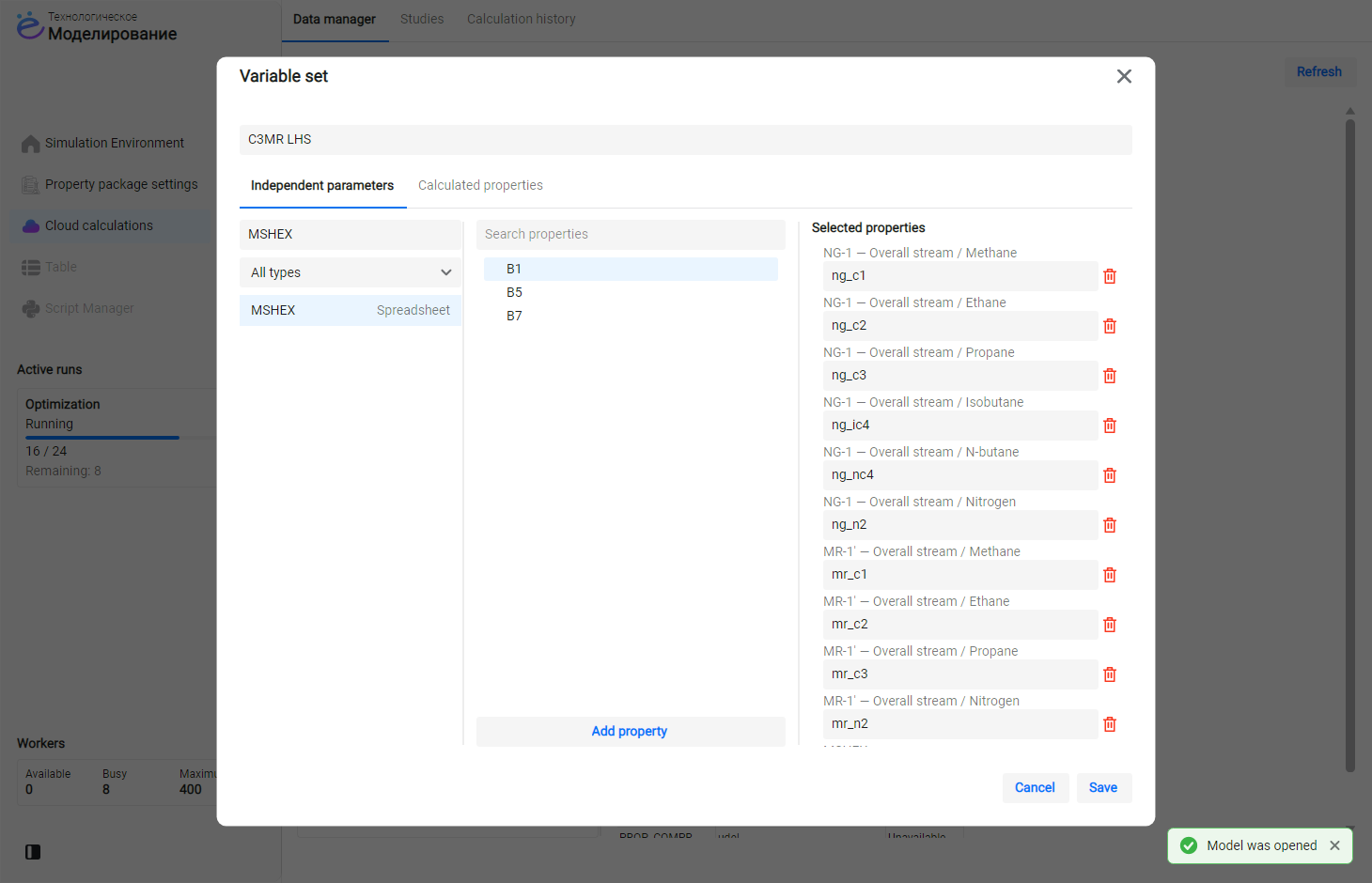
Input cell B1 in the MSHEX spreadsheet.
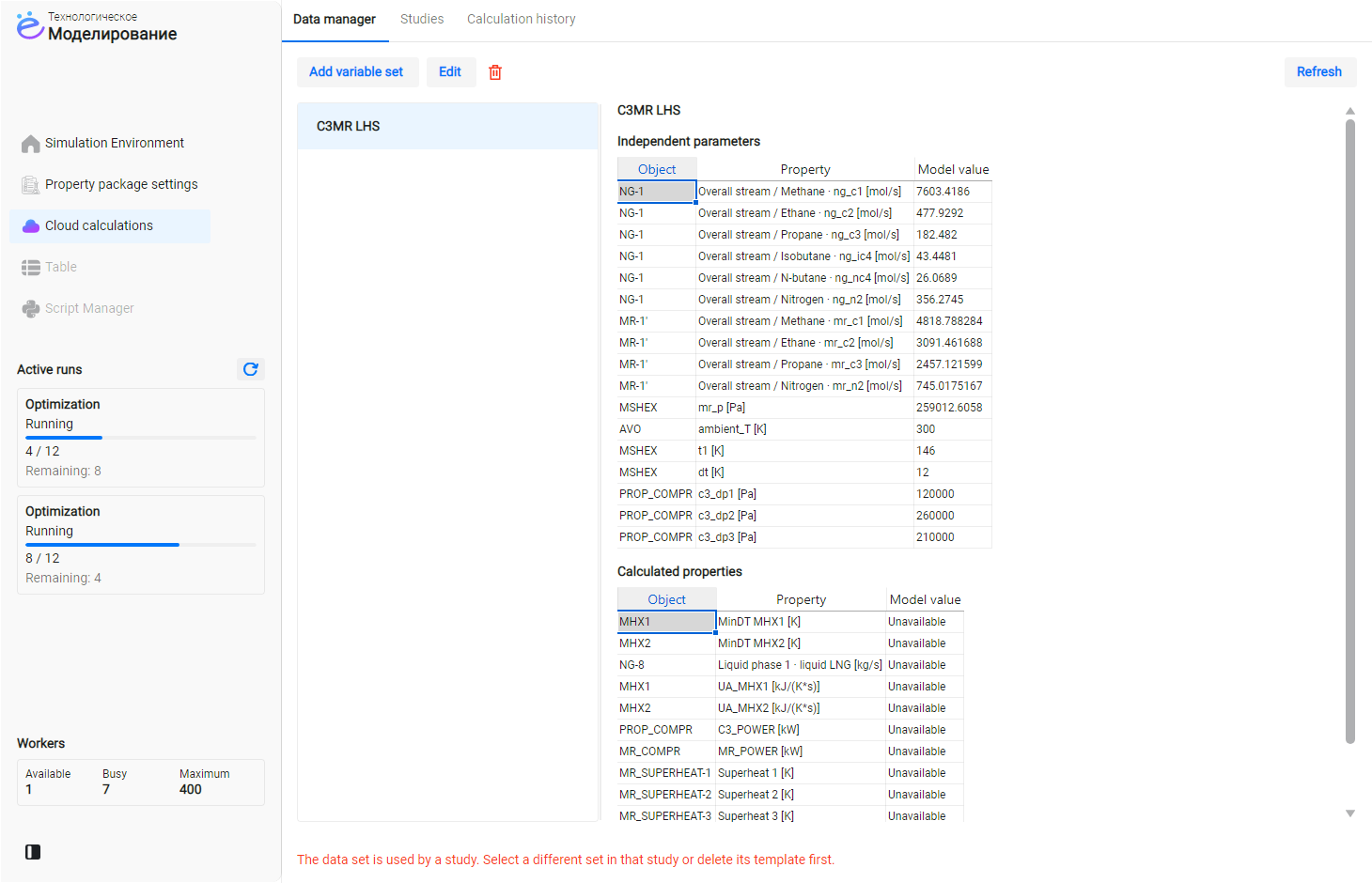
The message shown when attempting to delete a referenced set.
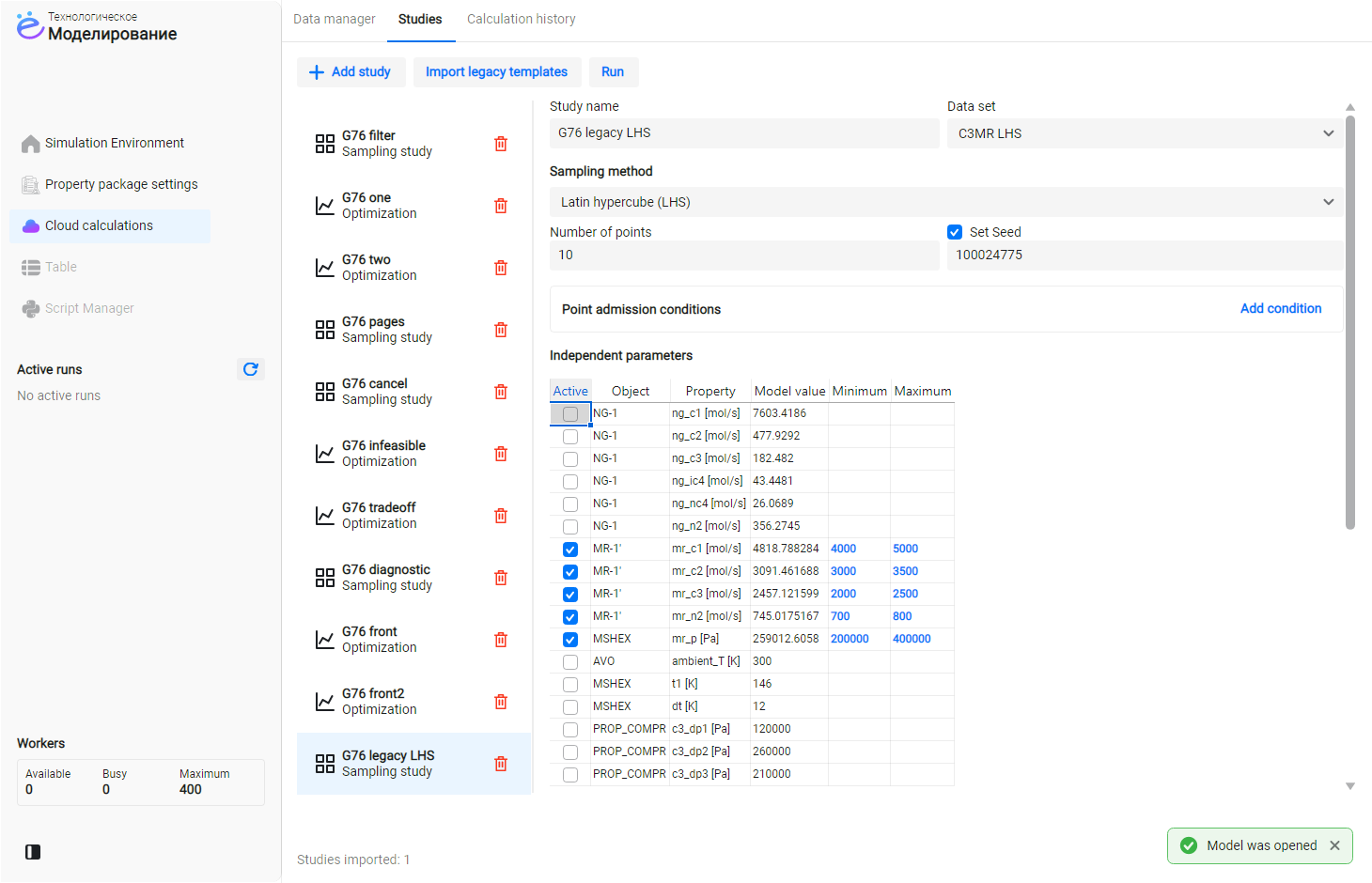
G76 legacy LHS in the list after import.
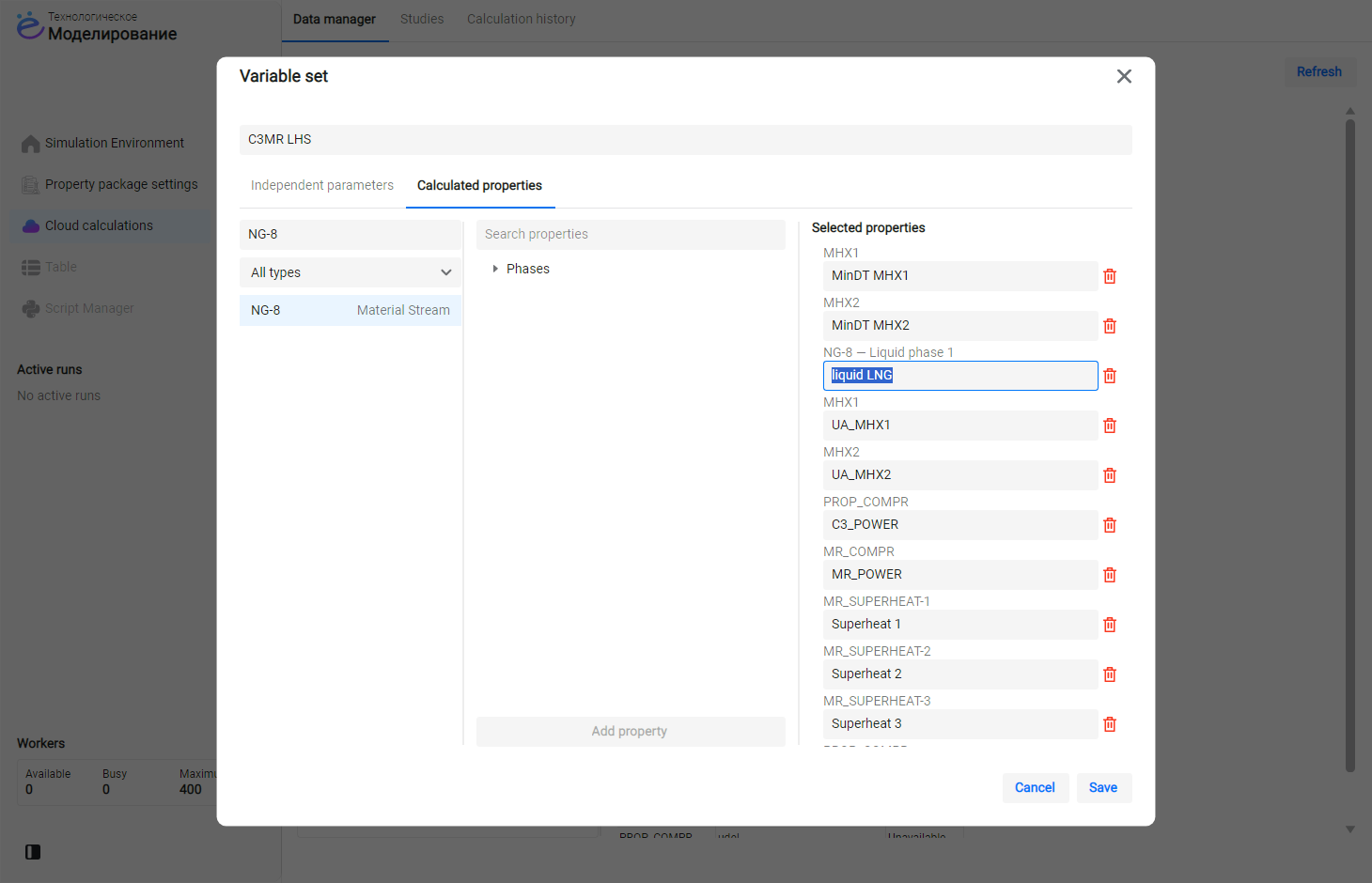
For the NG-8 output, find liquid LNG in the selected properties. Its alias identifies this Y in the results.
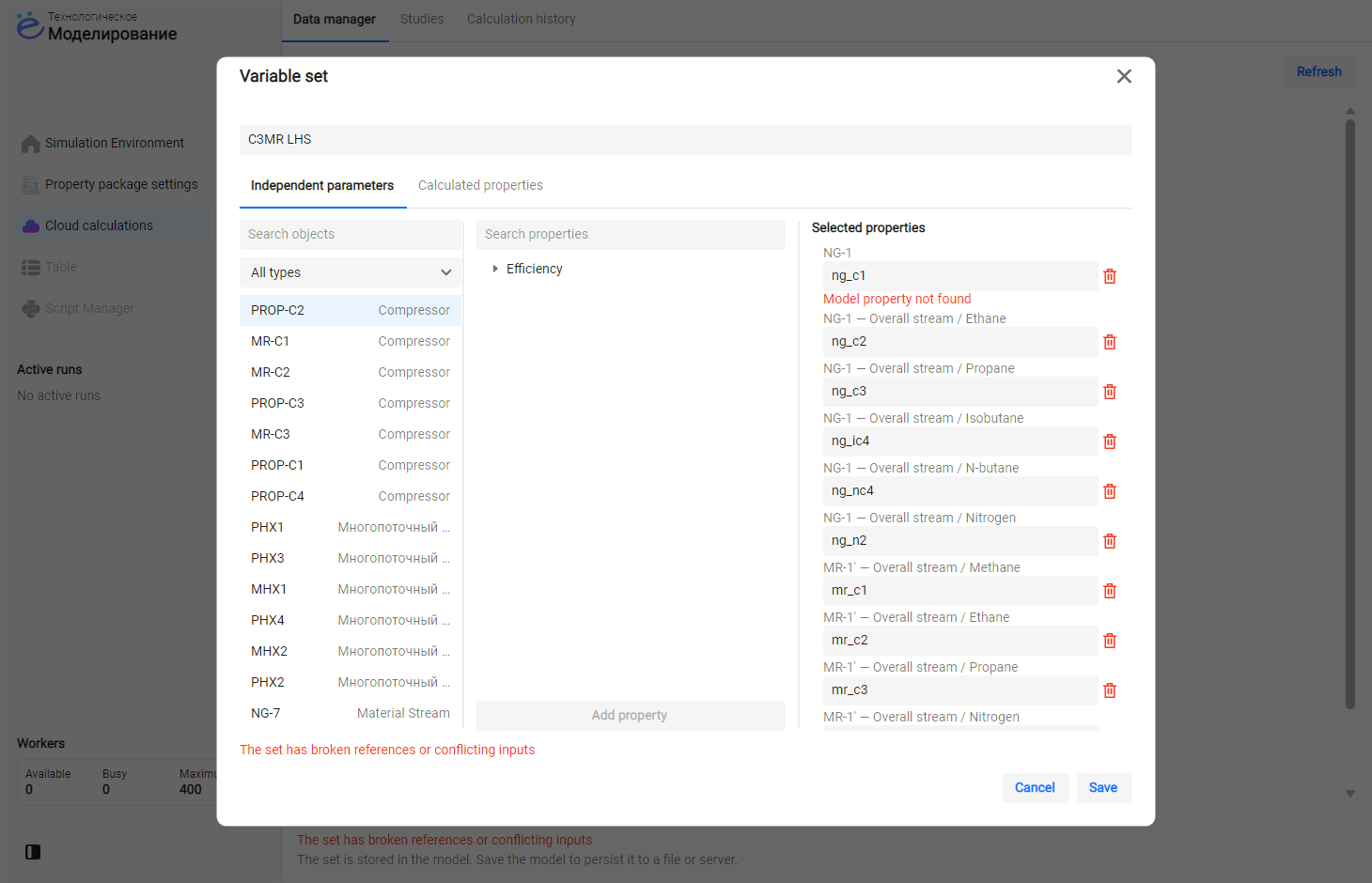
When the editor flags a missing property, select an available property on the same object and save the set again.
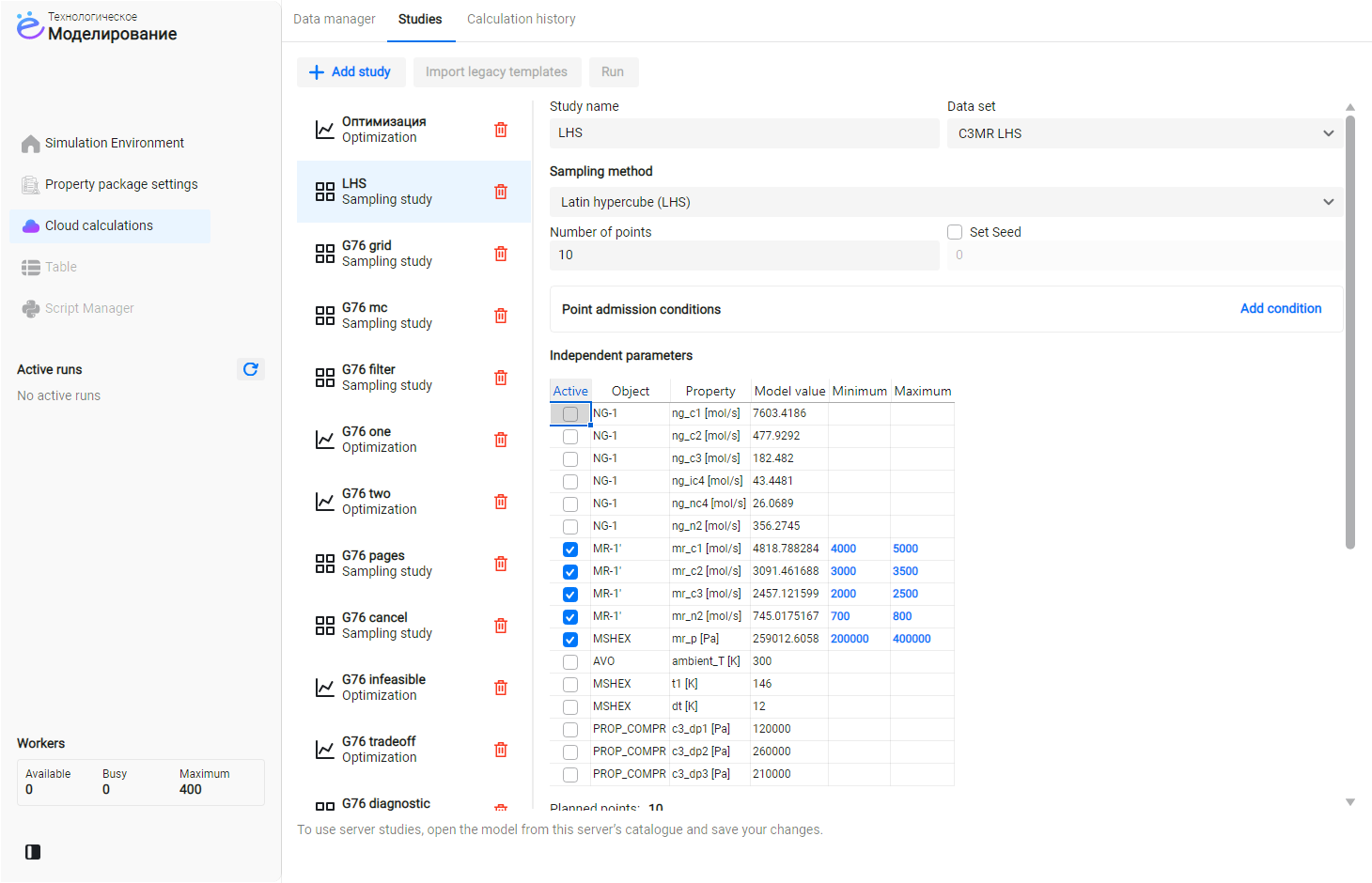
To submit a study from a local flowsheet, open its server-backed copy and check the run command on the Studies tab.
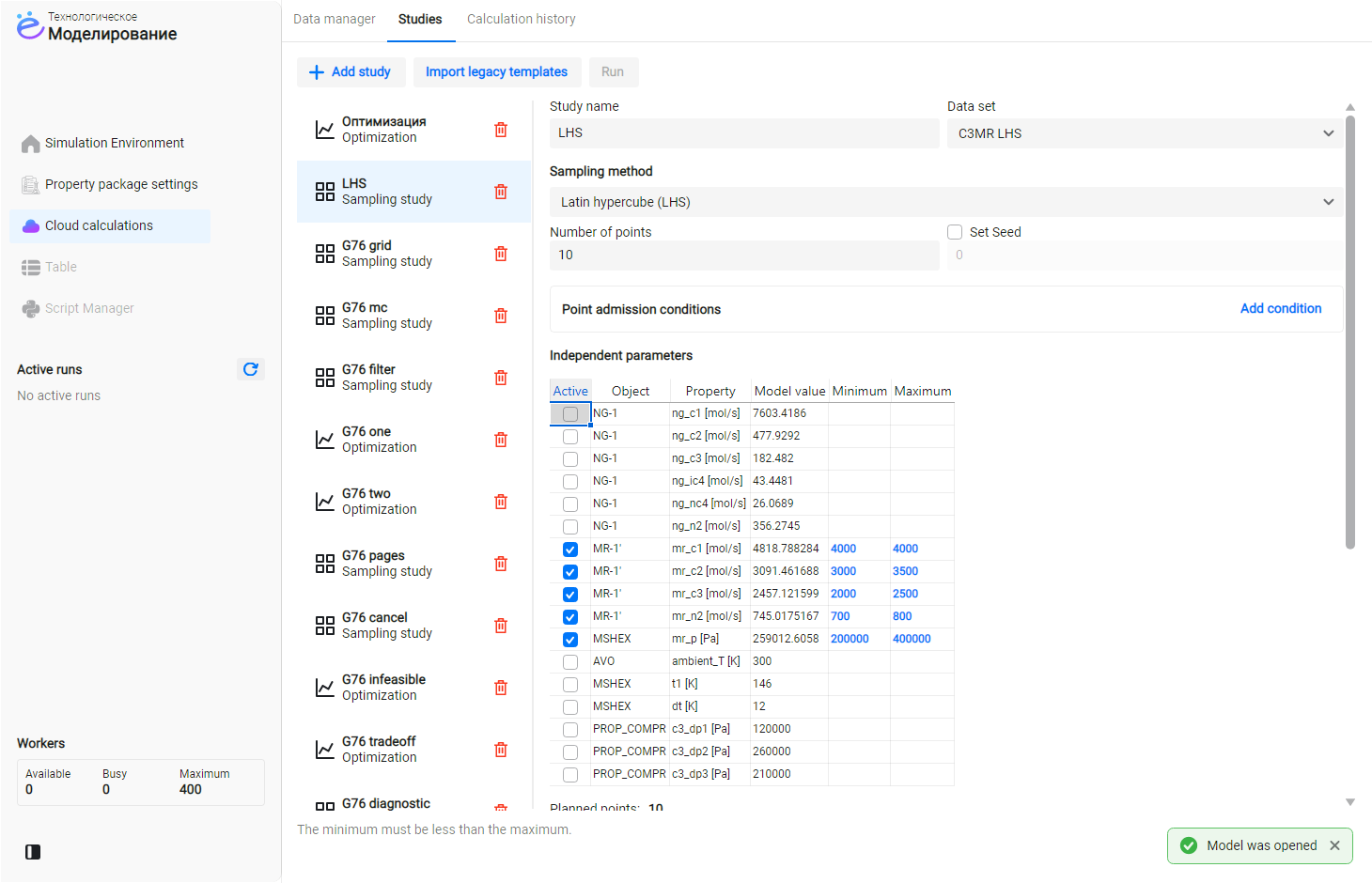
Set the upper bound of the varying input above its lower bound, then check the run command again.
Optimization and attempt history
Open G76 front2. Both populations contain eight individuals, with two iterations, one parallel evaluation and Top 3. The varying inputs are ng_c1, mr_c1, mr_n2 and mr_p. After 24 successful evaluations, two points were on the first front. Point 21 produced 129.948424 kg/s of LNG at udel 931.263949. Point 23 produced 129.707268 kg/s at udel 929.252805. The first favours production and the second favours specific energy consumption. Select the rows and compare their chart markers.
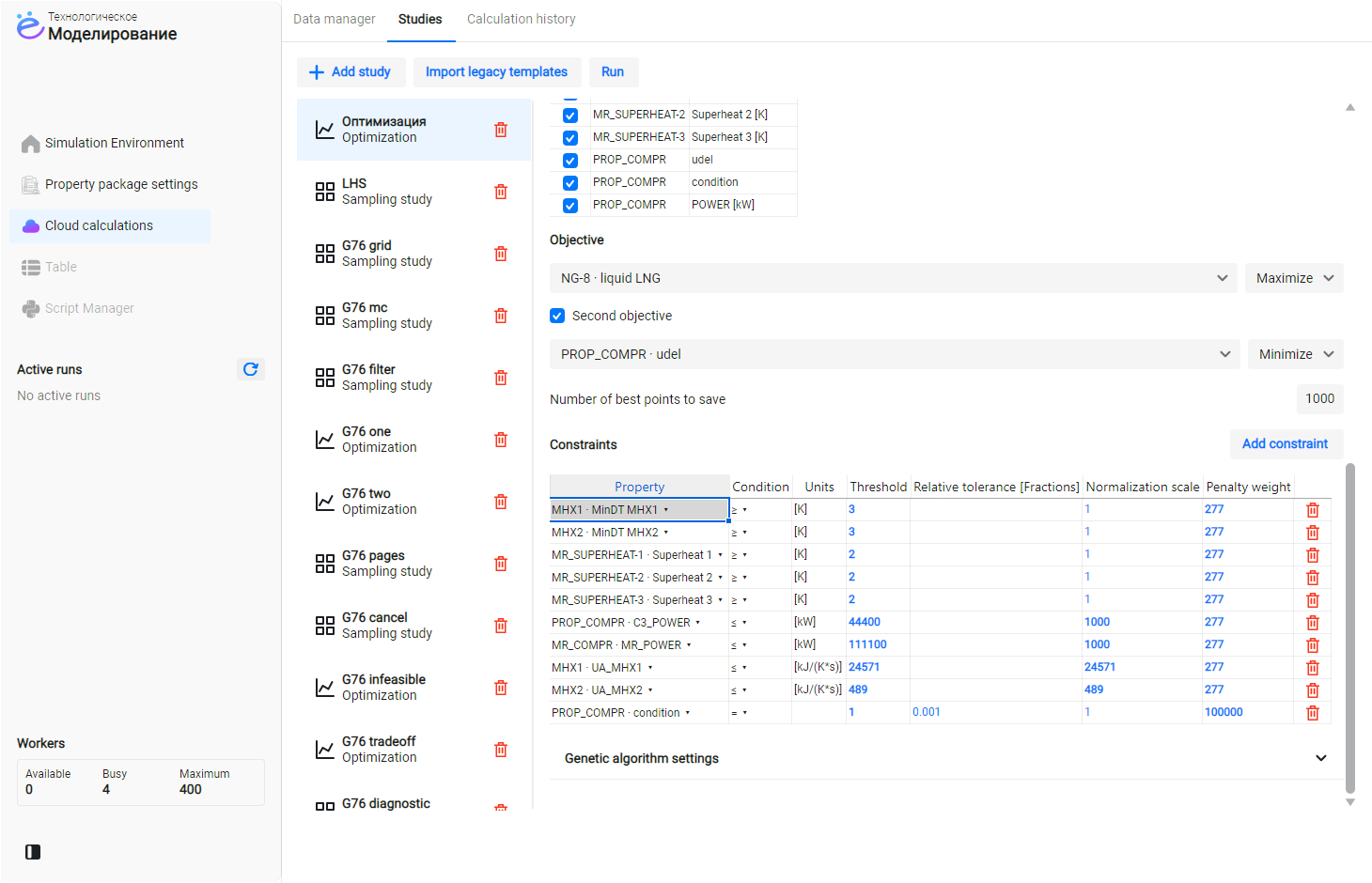
Objectives and constraints of the saved Оптимизация study.
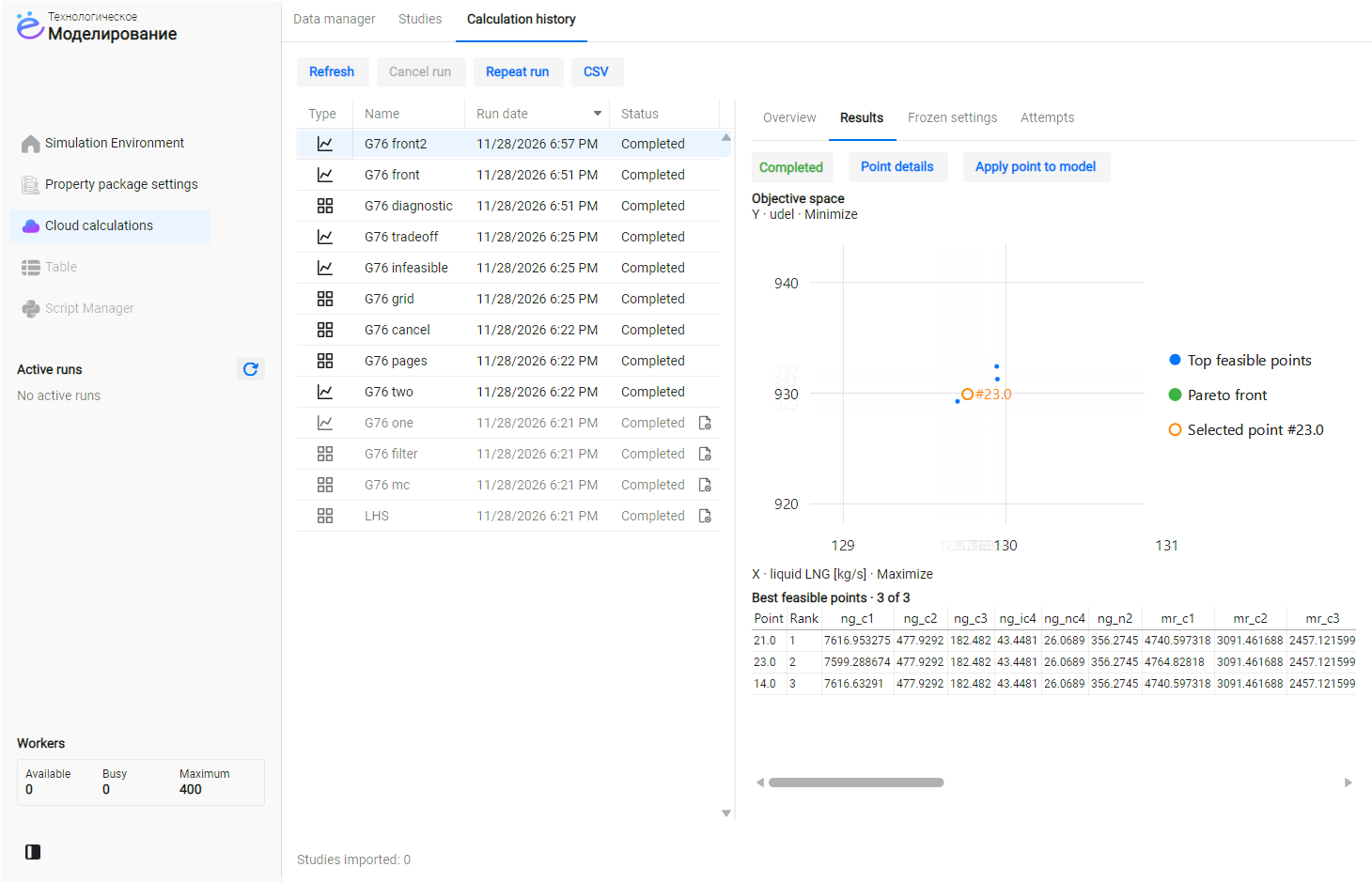
Two first-front points in the short G76 front2 run.
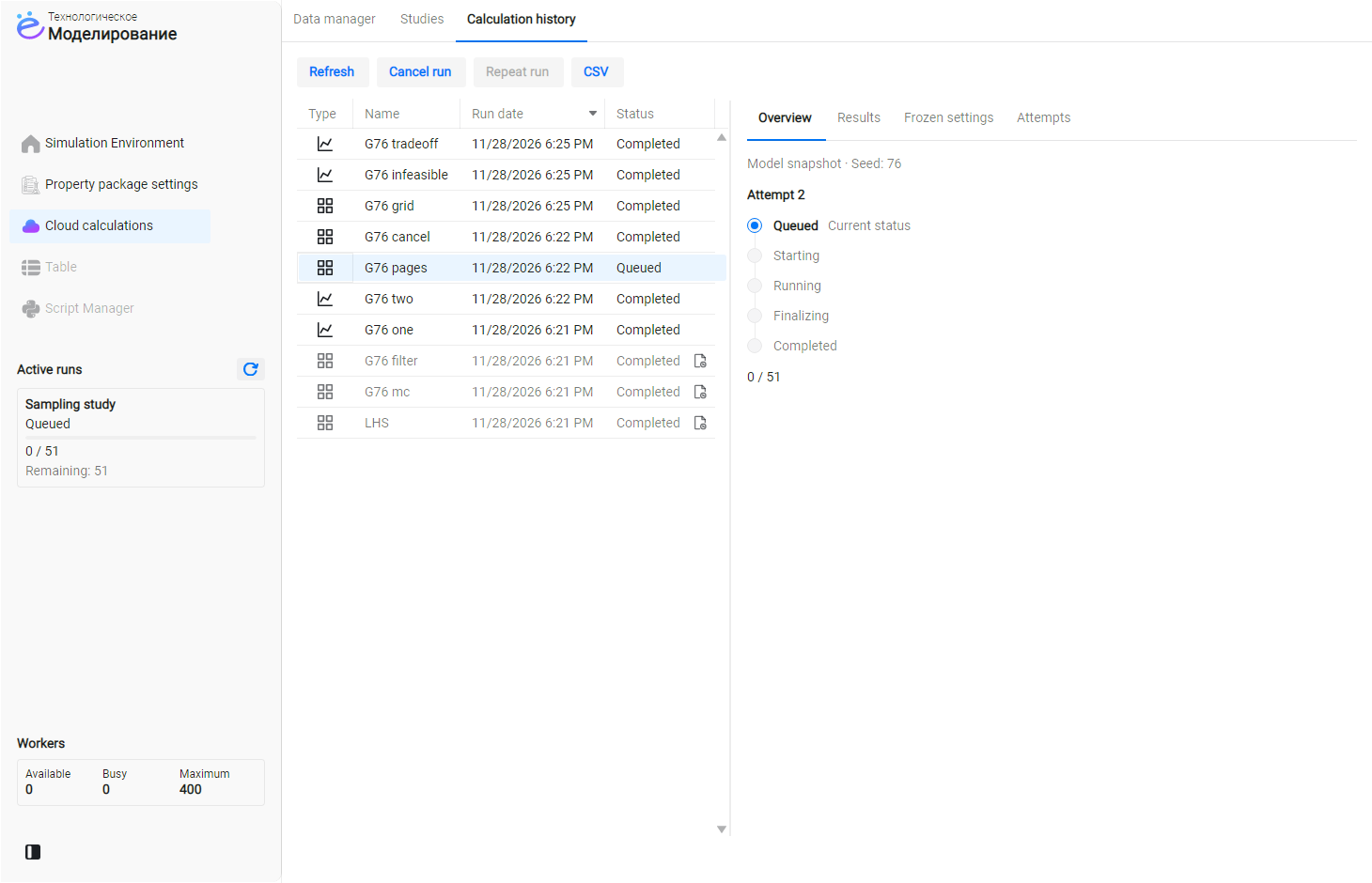
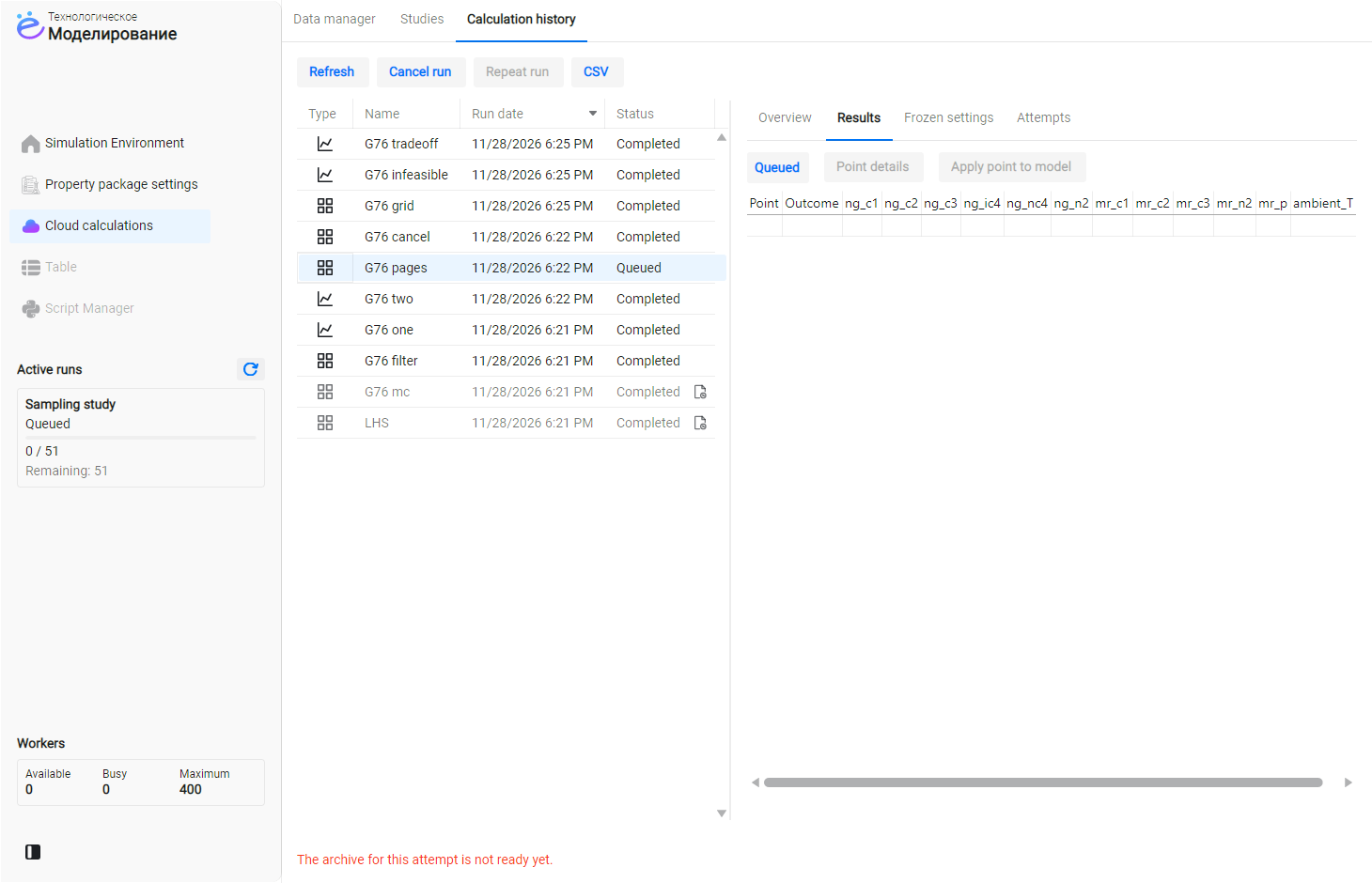
Attempt 2 of G76 pages in the queue. Both languages show the same attempt.
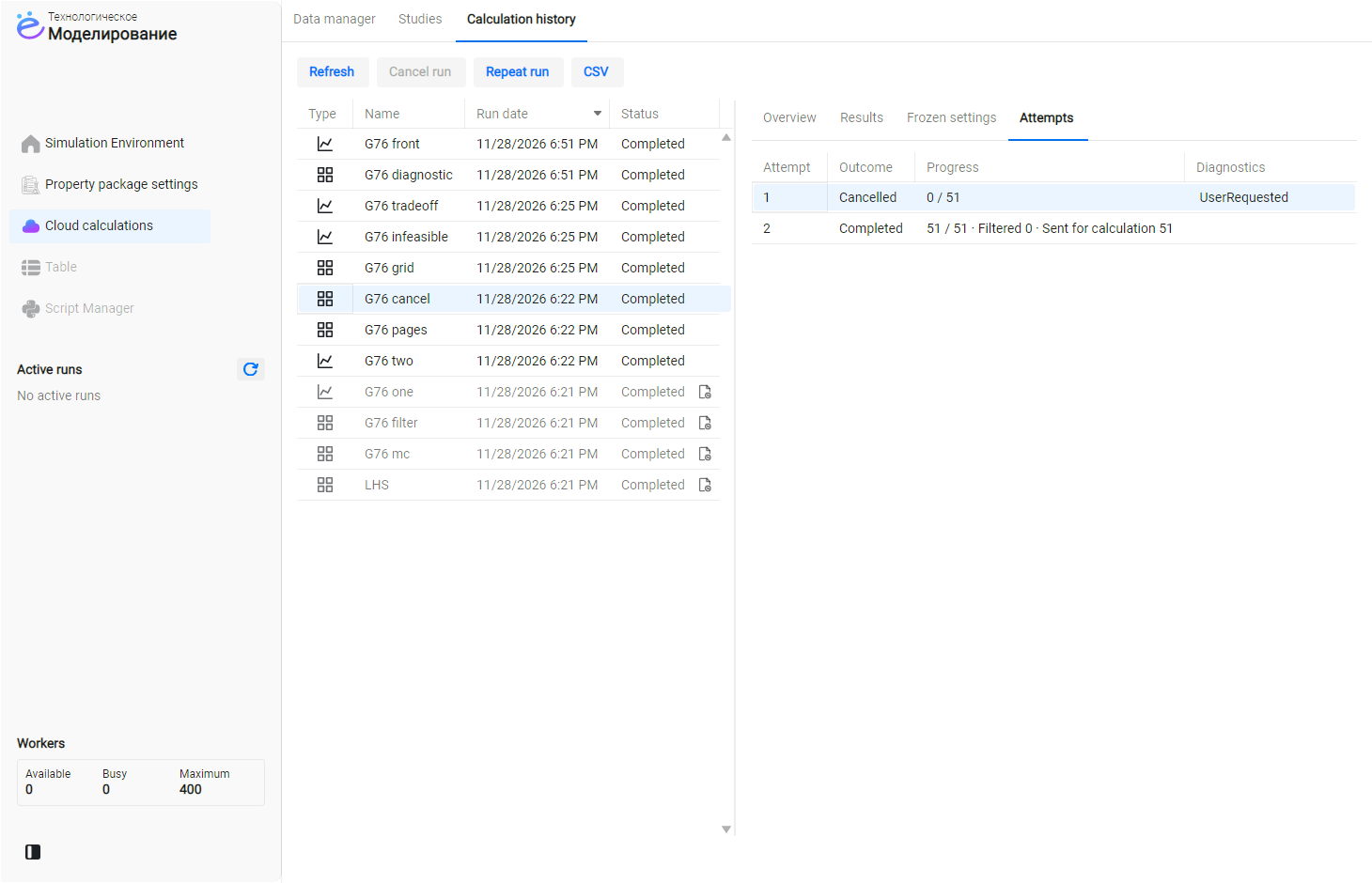
The first G76 cancel attempt after cancellation.
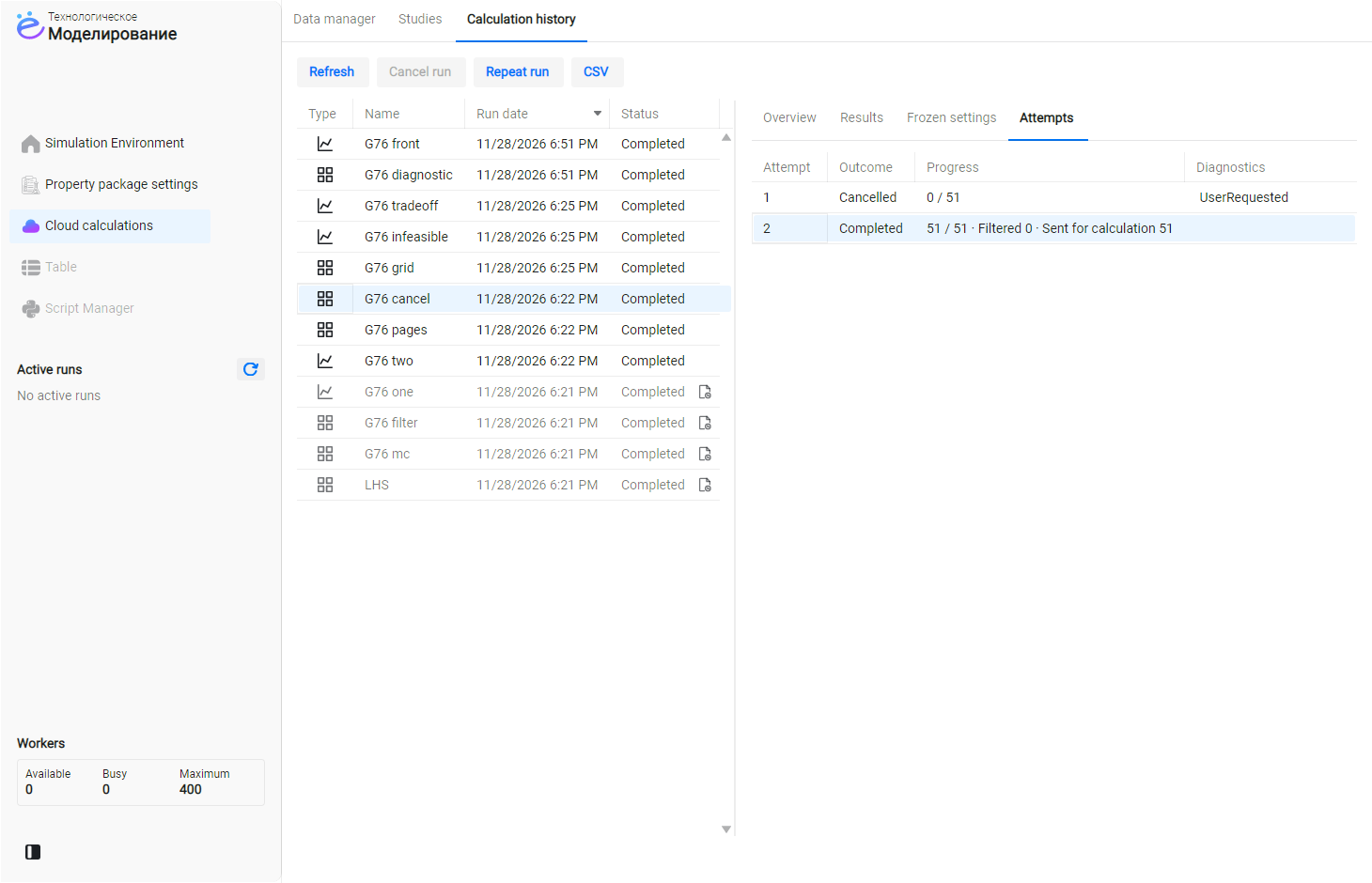
G76 cancel repeated with the same run ID and a new attempt number.
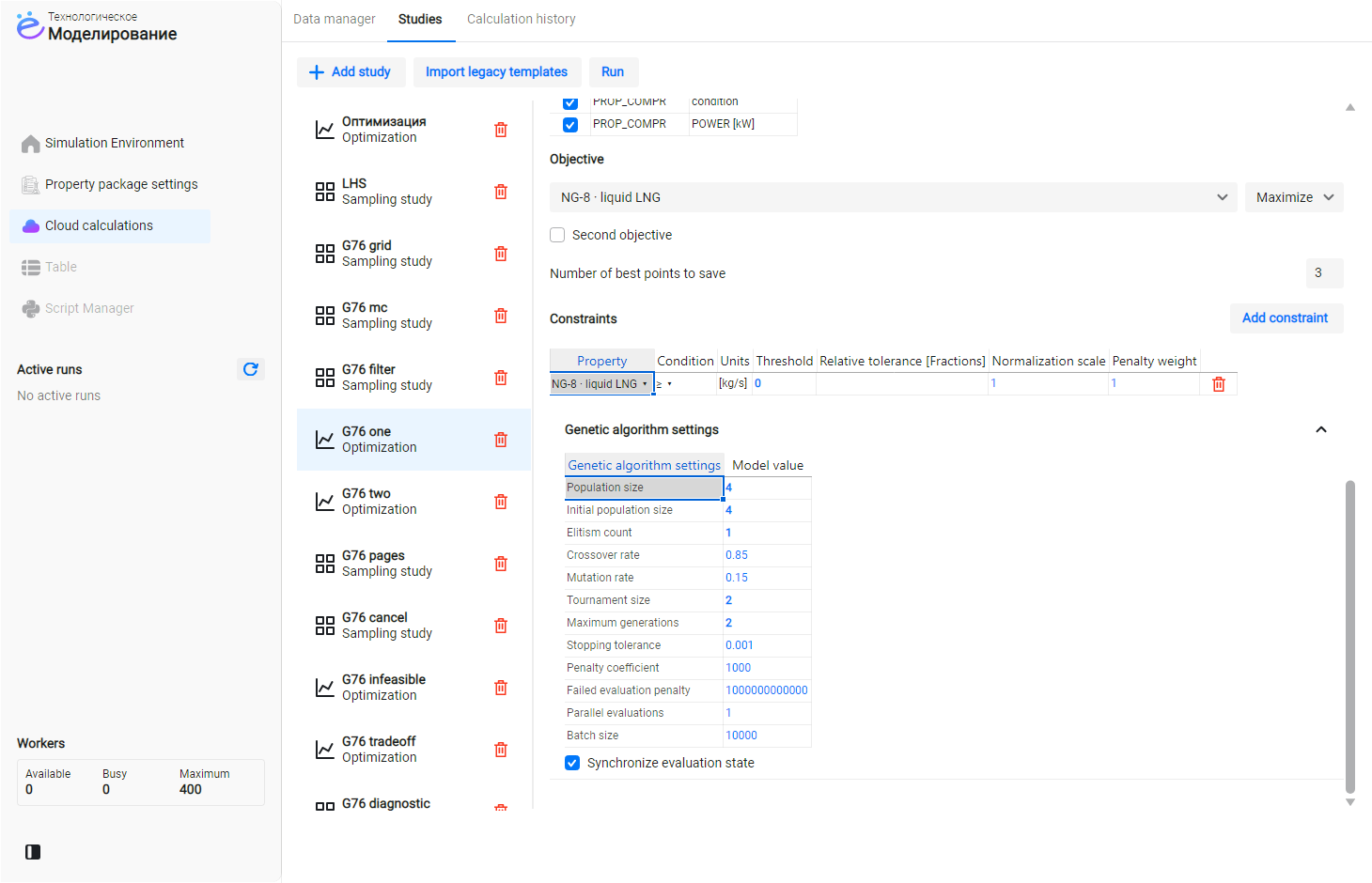
In G76 one, check the initial and subsequent population sizes of four, two iterations and one parallel evaluation.
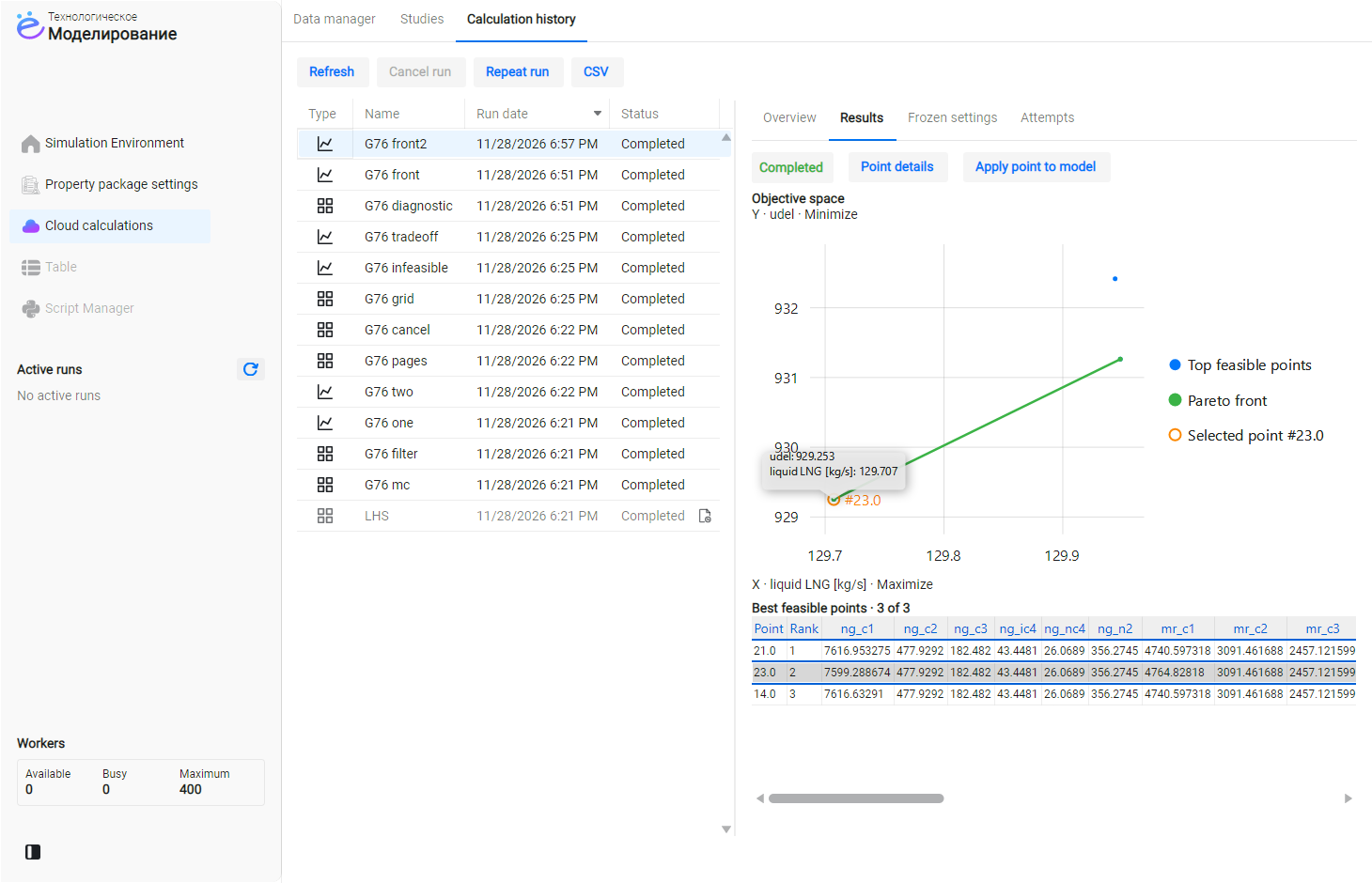
Select point 23 and match the number on the chart marker with the highlighted solution row.
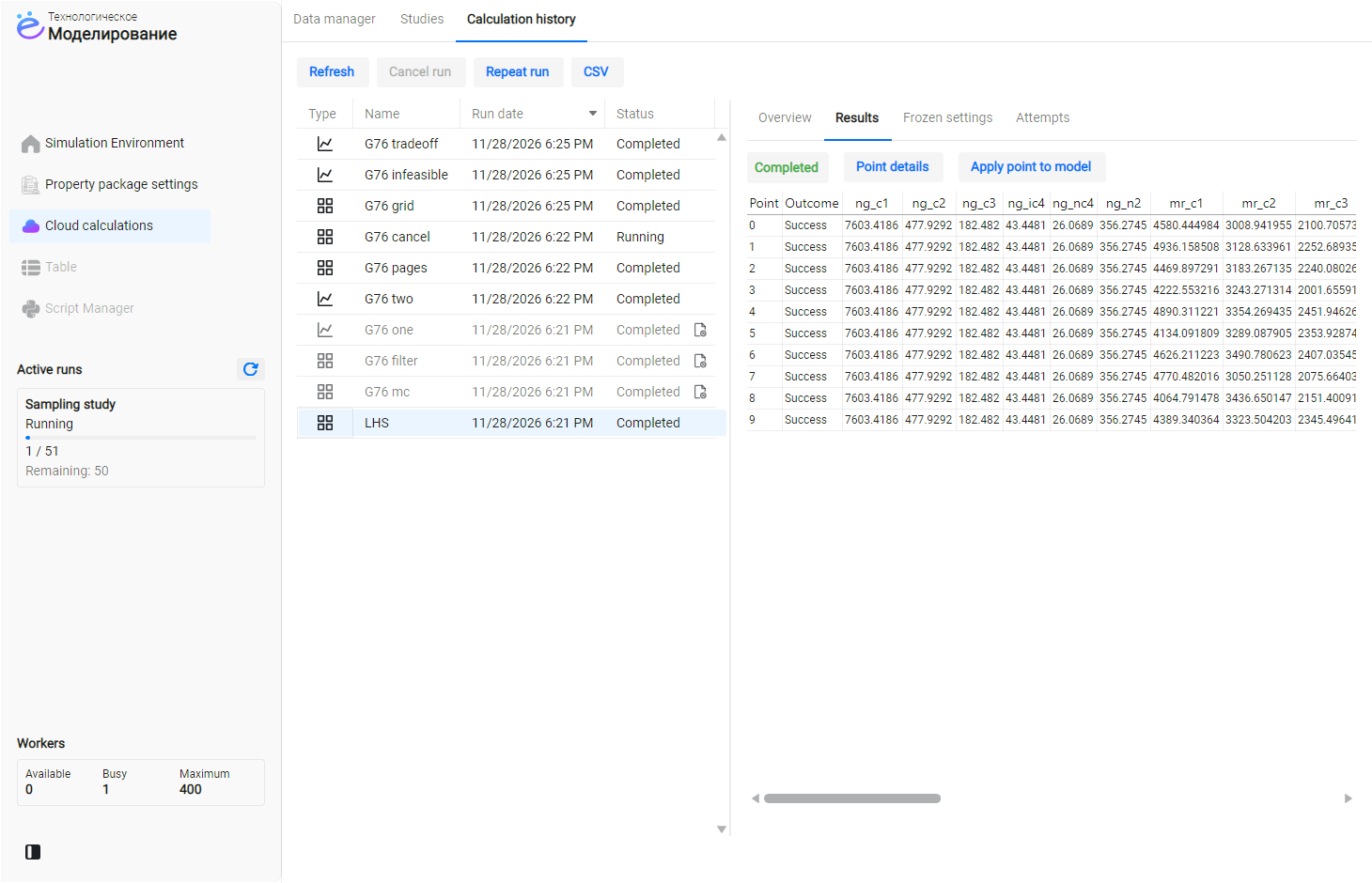
Find a point by number in the LHS archive. Open its details to read all its X and Y values.
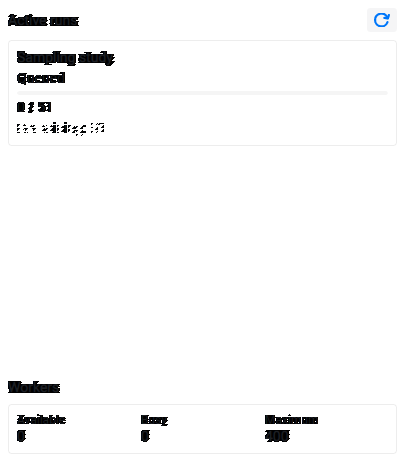
Open Cloud while the attempt is active. For attempt 3 of G76 pages, both clients showed the run queued at 0 of 51 points. Available and busy workers are listed below.

When the connection drops, the monitor retains the last available data and reports that it is reconnecting.

After reconnecting, refresh the monitor and check that the available compute resources are visible again.
Interpreting failures
G76 diagnostic used a two-node grid at the extreme pressures of 1 and 1,000 Pa. One point converged and the other returned NON_CONVERGED. Inspect the row outcome and output quality. For a save conflict, check the version in the catalogue. In this model 34 session, the server rejected a save based on an older revision (StaleETag).
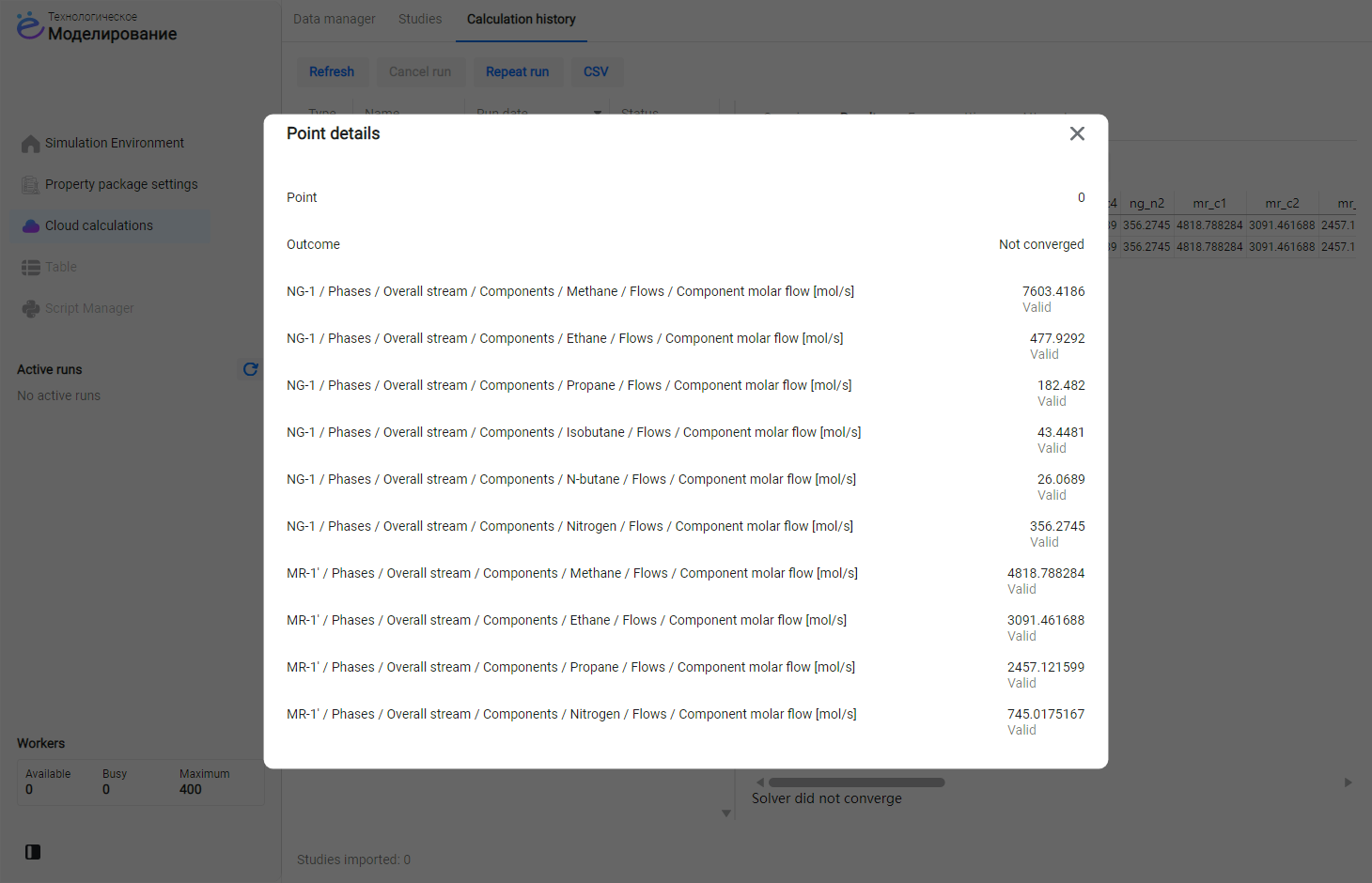
Point-level diagnostics in the diagnostic grid.
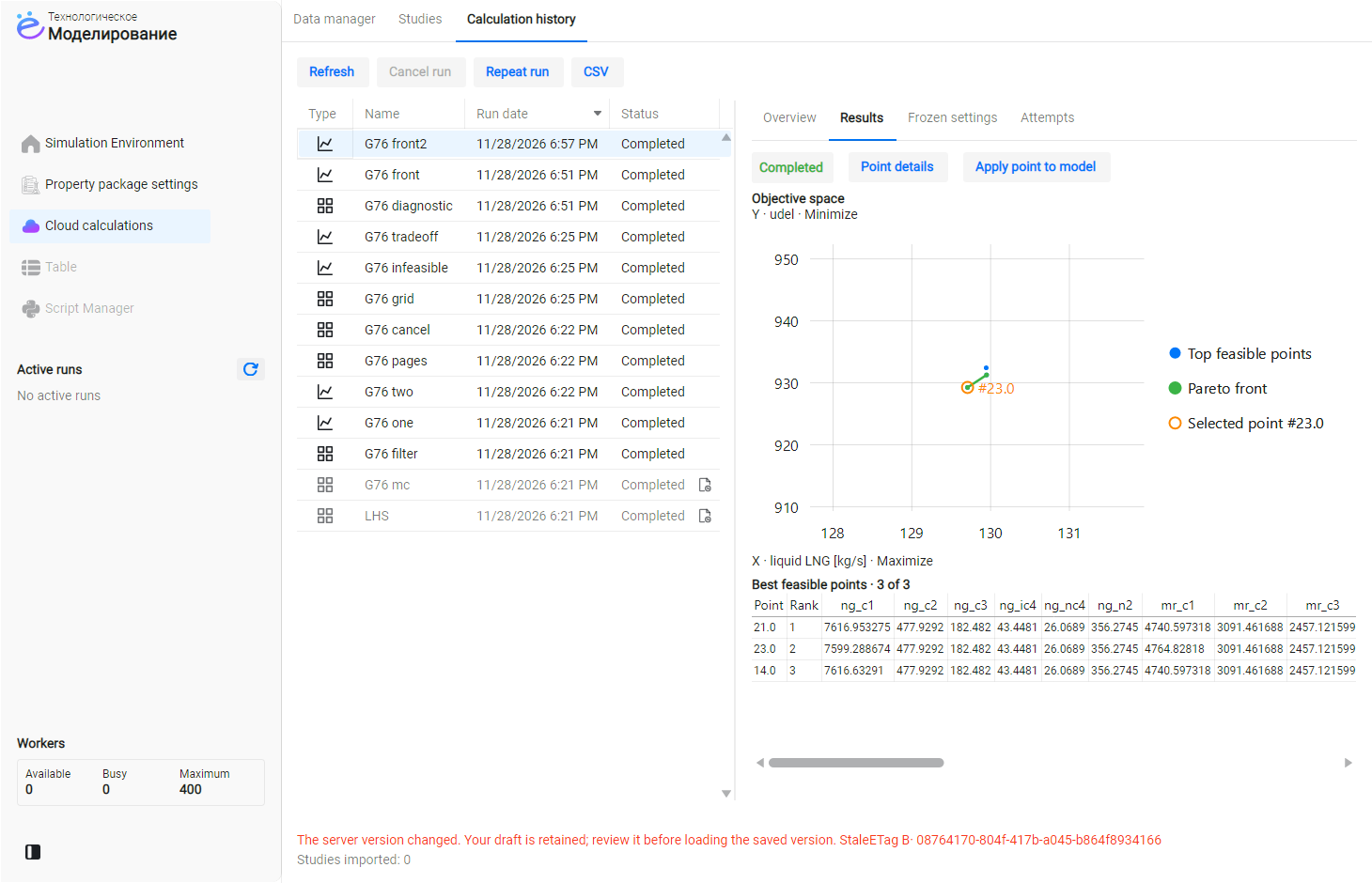
Response to a client working from an earlier model version.
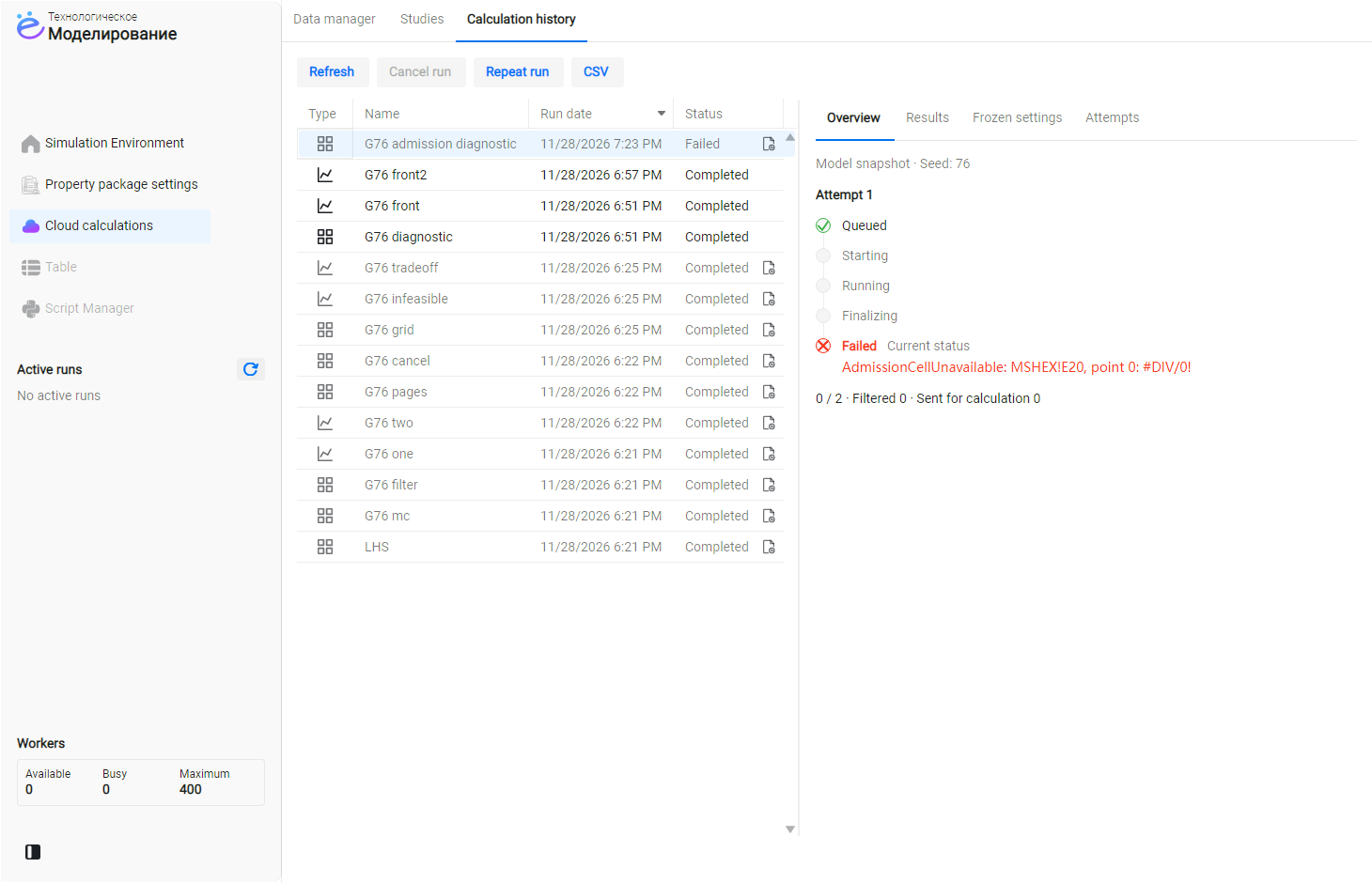
In G76 admission diagnostic, filter cell MSHEX!E20 returned a division-by-zero error for point 0. The attempt failed with AdmissionCellUnavailable. Neither of the two points reached flowsheet evaluation. Correct the formula or range and submit a new run.

An error while preparing the local practice file triggered this save message. Keep the source document and the error details for diagnosis.
Expander and heat exchanger
In a separate local instance of model 34, EXP-G76 used the composition of NG-1 with a feed of 2 kg/s at 300 K and 500 kPa. Set a pressure drop of 50 kPa and an adiabatic efficiency of 0.78. After calculating, check the outlet pressure of 450 kPa, temperature of 294.5414 K and power of 21.948 kW. Open the PHX1 results and follow both hot and cold composite curves along the energy-flow axis.
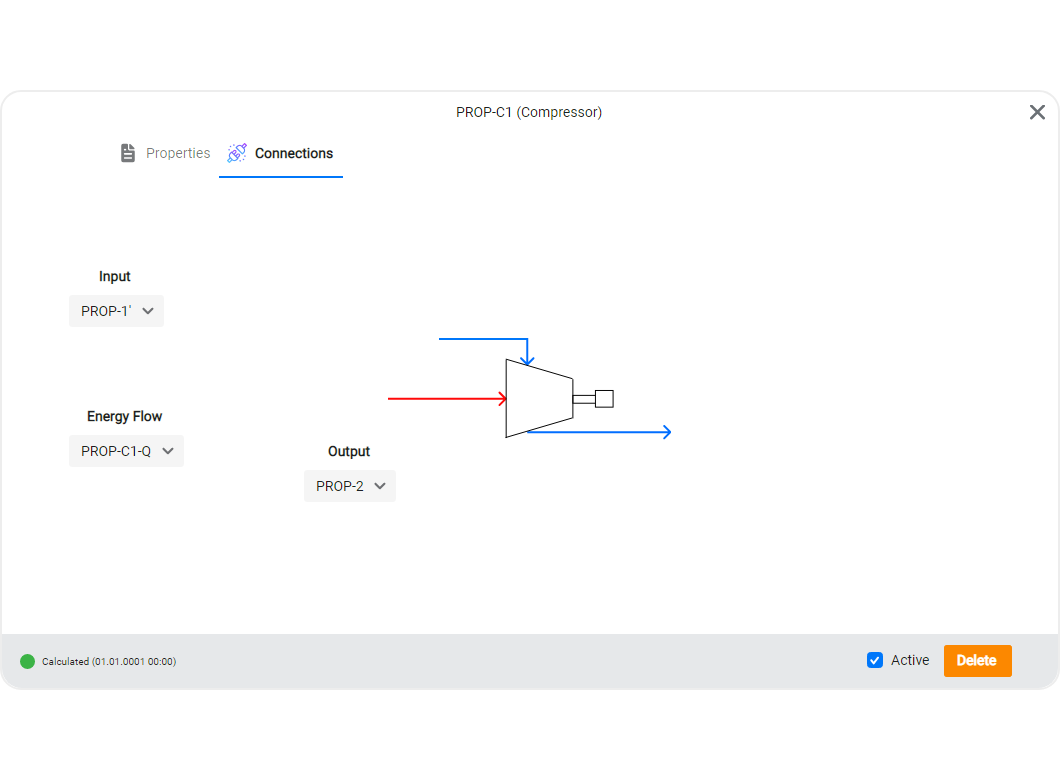
Material and energy connections of PROP-C1.
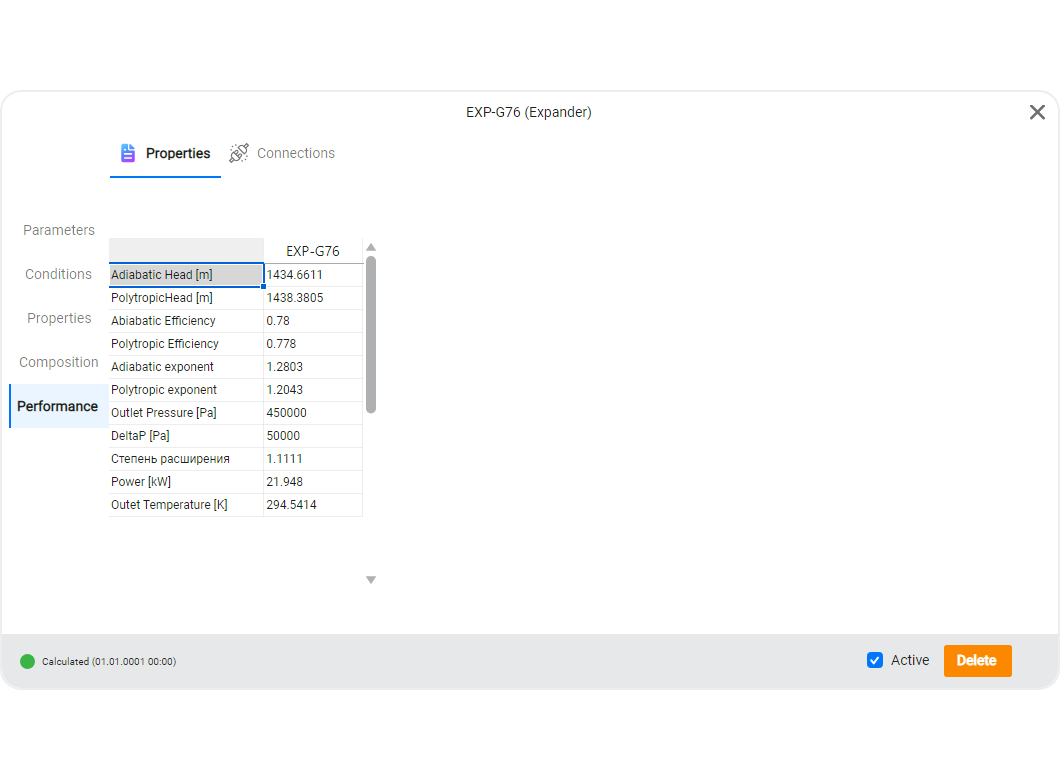
Head, efficiency, pressure and power for EXP-G76.
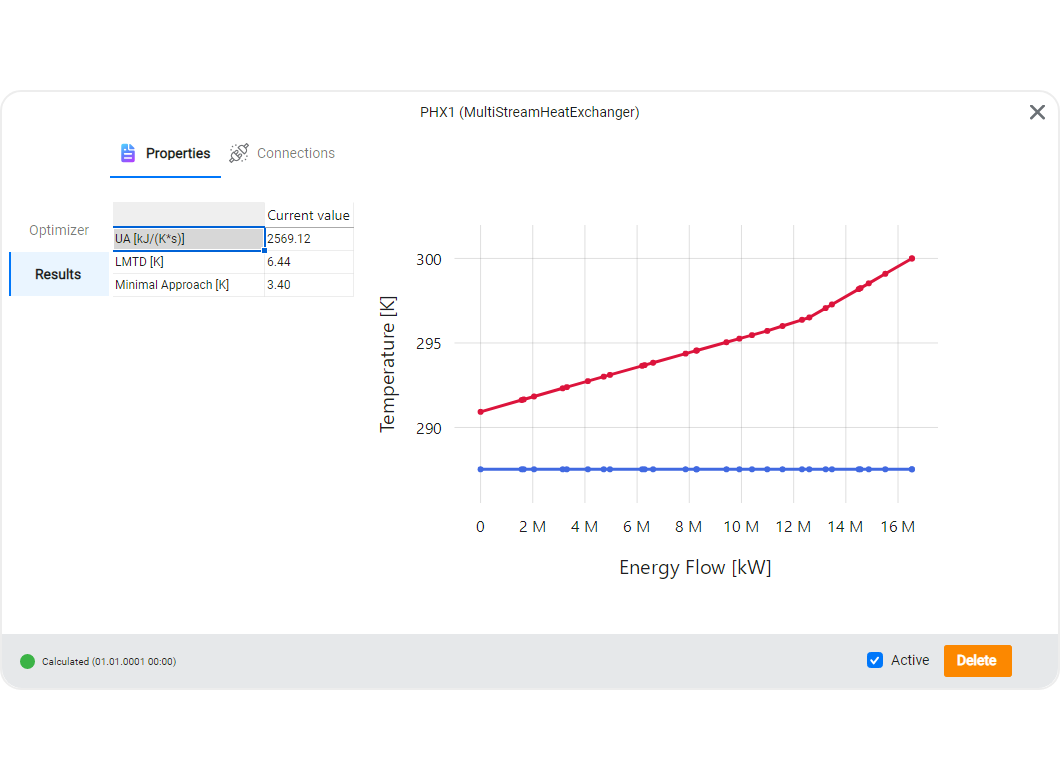
Calculated PHX1 results and both composite curves.
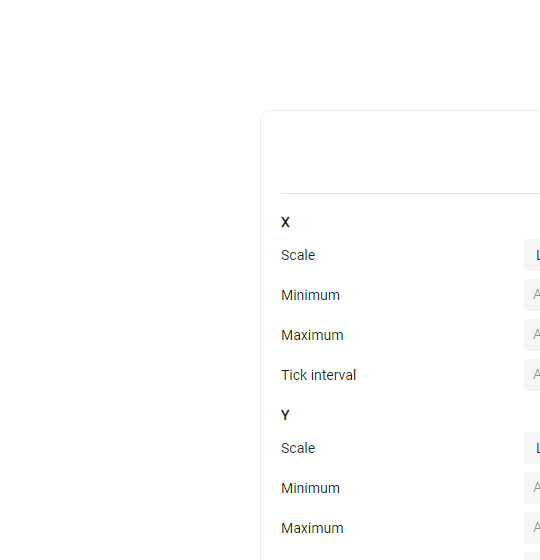
Axis and series settings for the exchanger chart.

G76 Feed has a volumetric flow specification. Clear it before specifying molar flow.
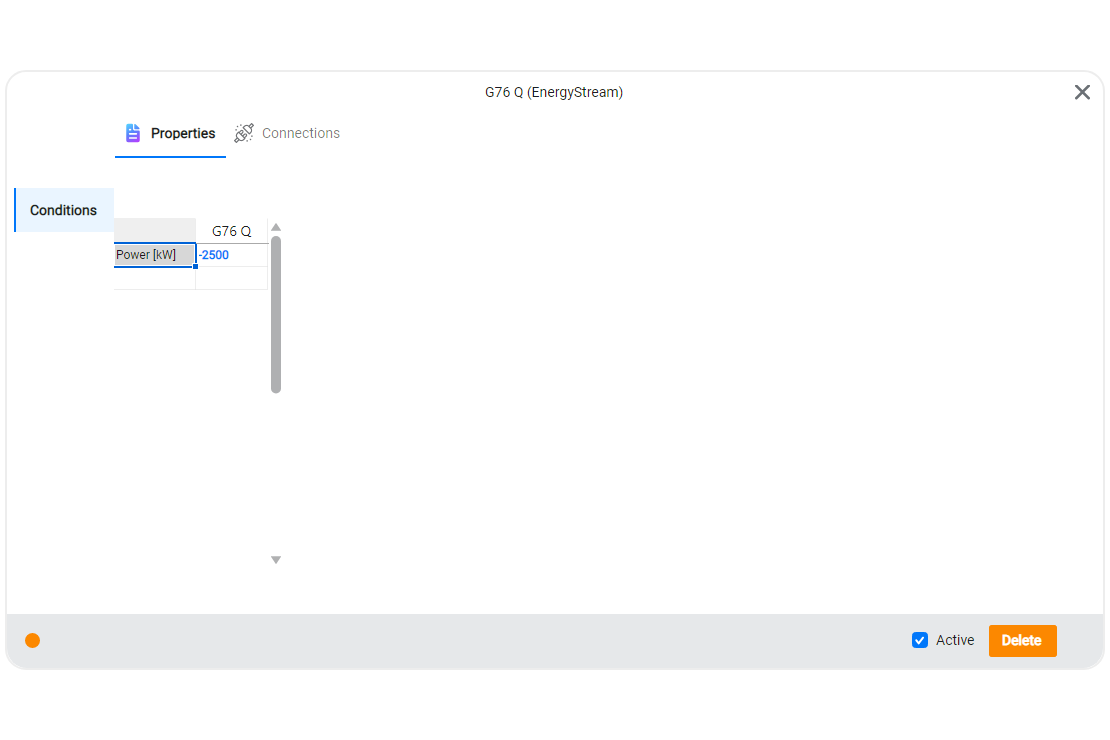
On the energy stream’s conditions tab, check the sign of the power value after confirming the edit.
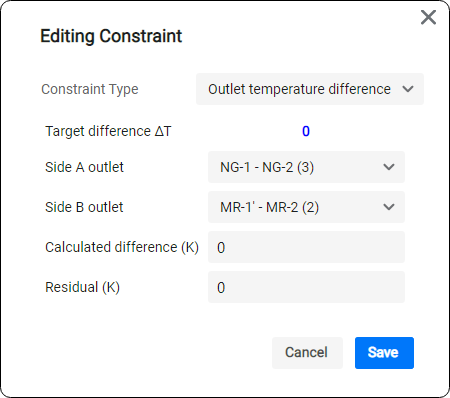
In the ΔT specification, select the two outlets in the order used to calculate their temperature difference.
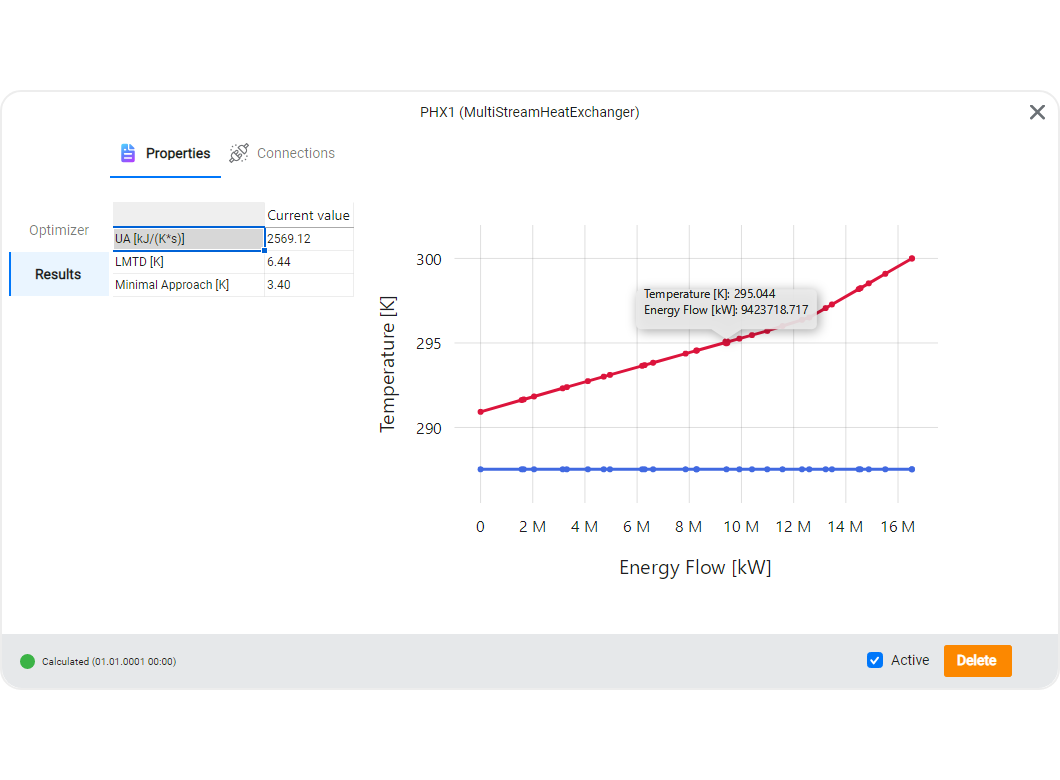
Hover over the PHX1 curve. Read the temperature and energy flow at the marker and check the axis units.
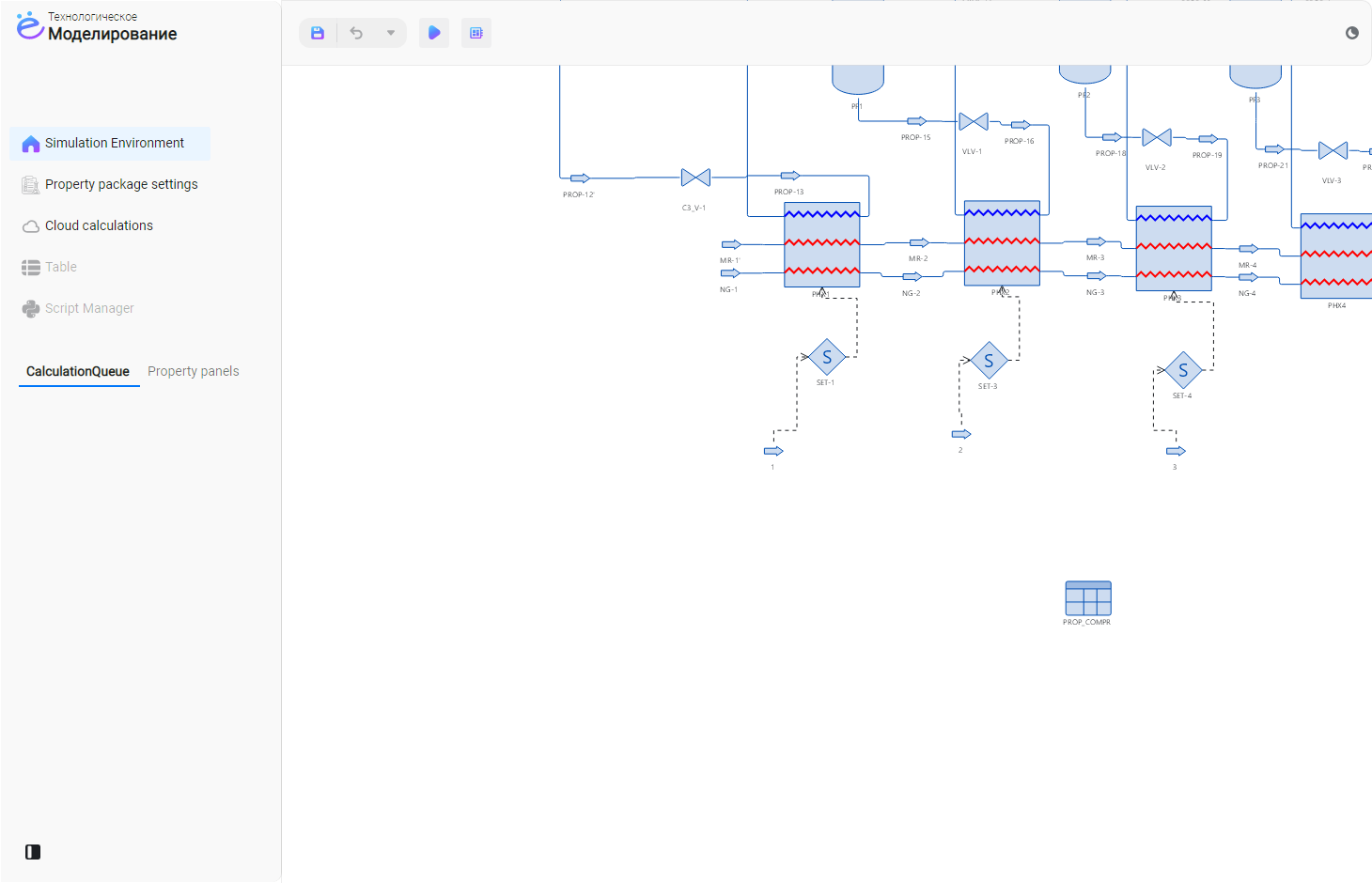
Select SET-1 on the flowsheet and trace its signal connection. Open its properties to inspect the source, target setpoint and coefficients.
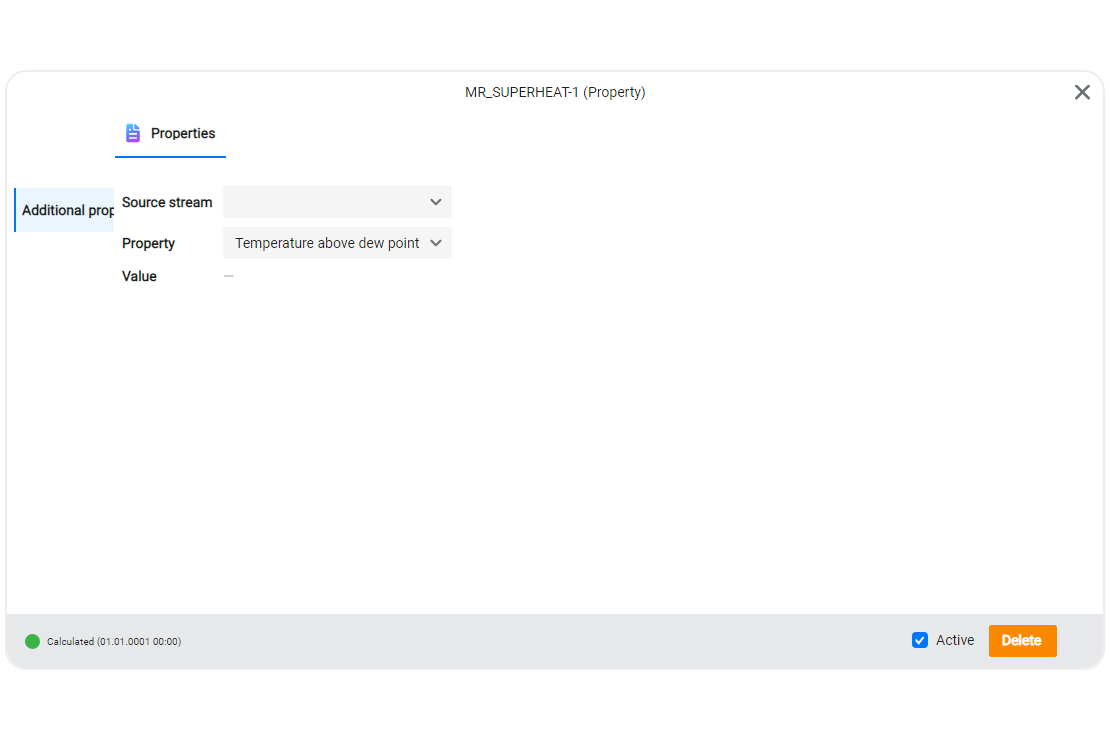
Open the Property block after clearing its source in the practice copy. To calculate the dew point again, choose a material stream with a defined composition.
Layout and model files
On the local flowsheet, select VLV-1, PROP-15 and PROP-16 and press 1. After saving and reading the file, all three objects had a rotation of 90°. A copy without a format-version field opened with all 118 objects. A file declaring format 9999 produced an unsupported-format message. A copy containing an unknown equipment type produced an object-specific error.
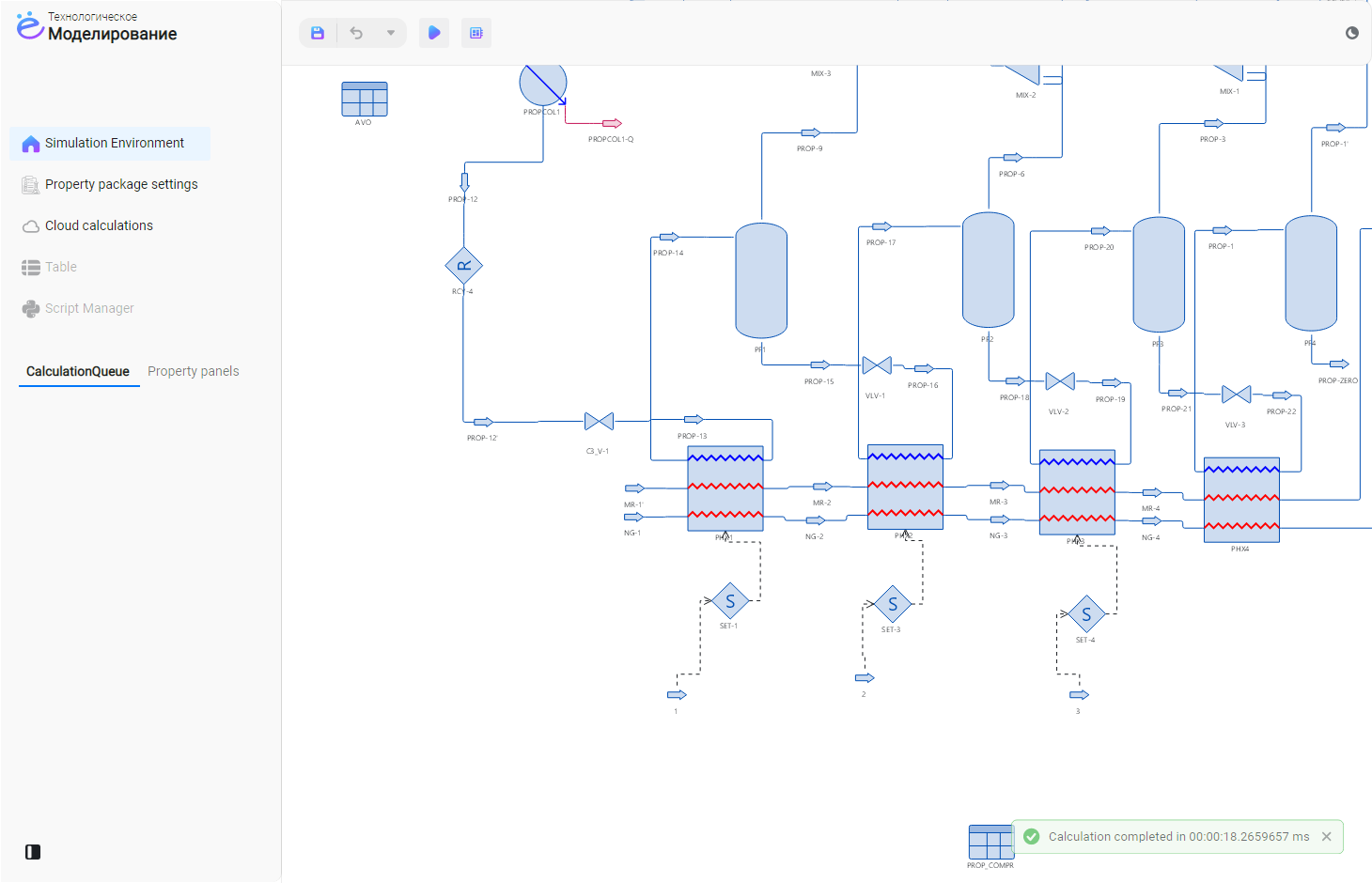
The connected objects before group rotation.
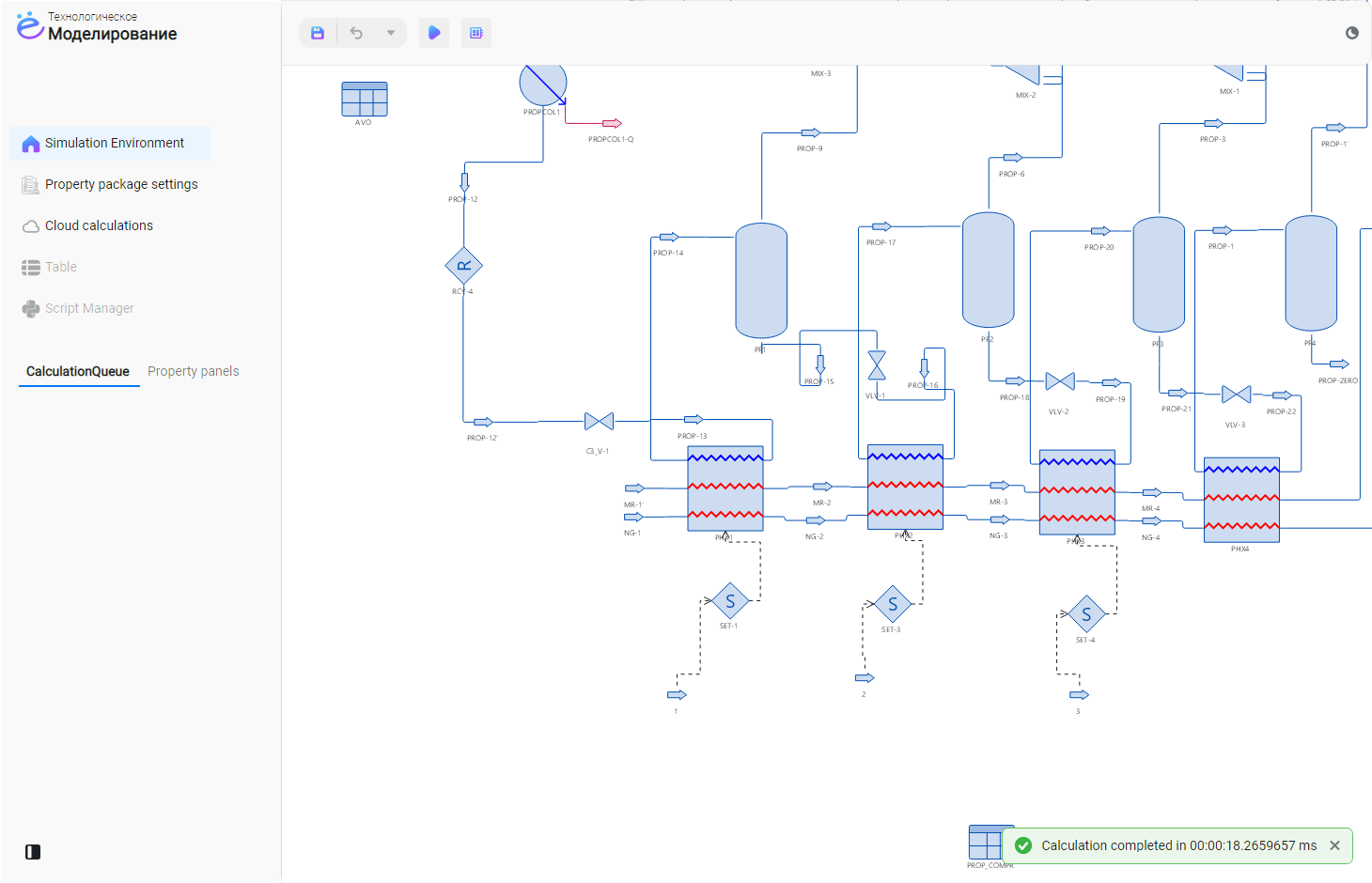
Rotation of the selected objects, checked against the saved layout.
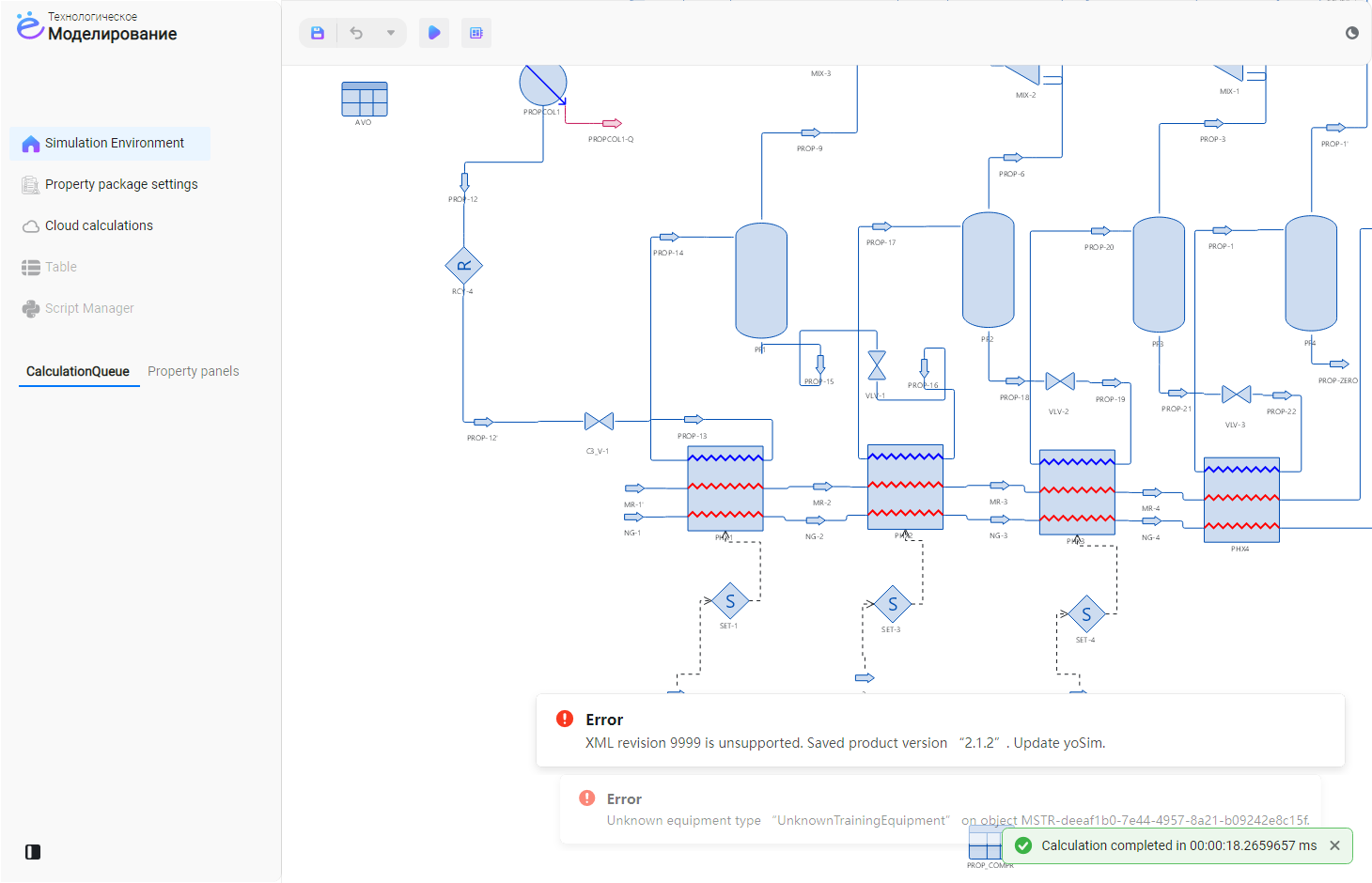
Diagnostics for the practice file containing an unknown object type.
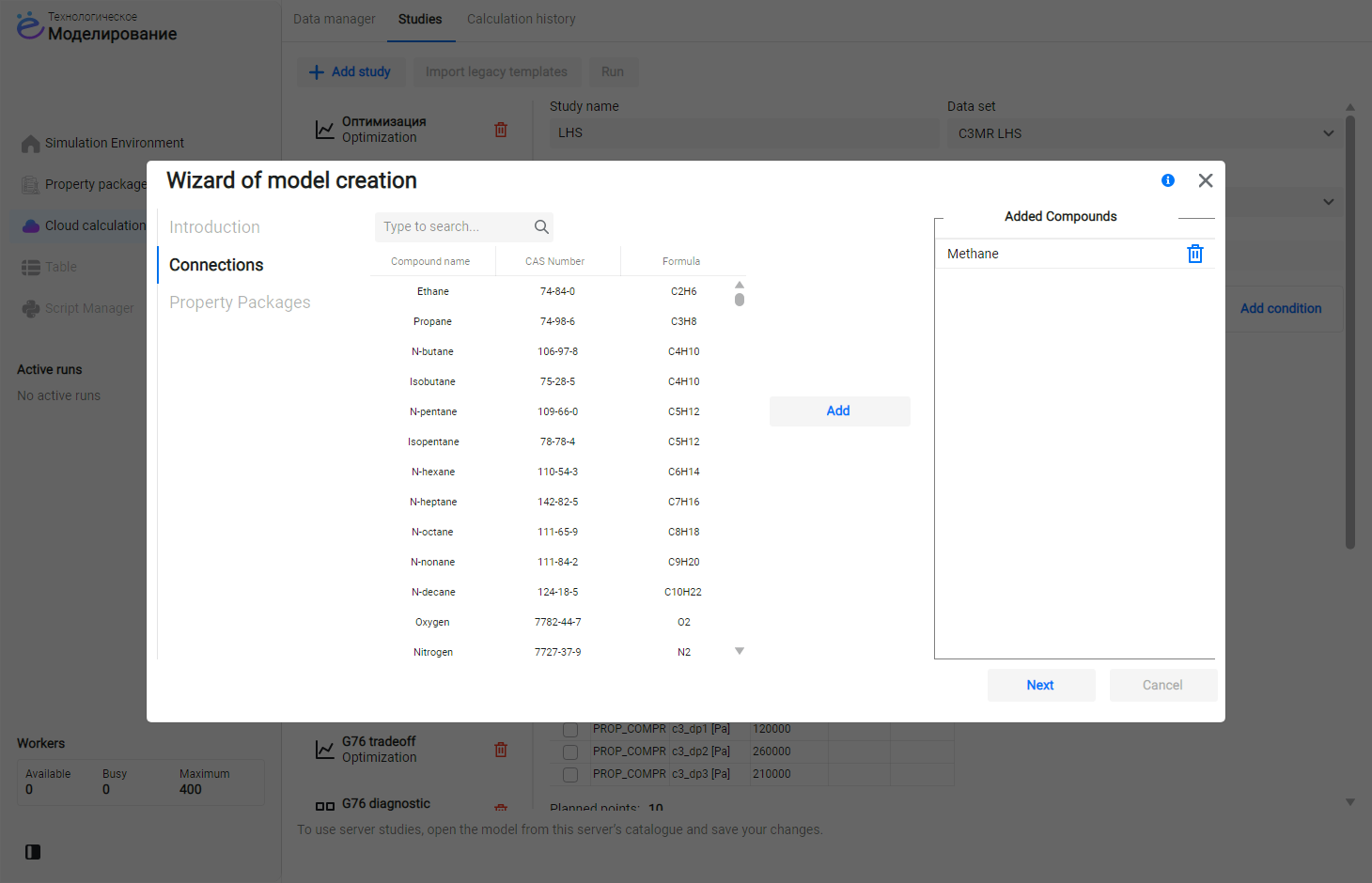
Double-click methane in the wizard and verify that it appears in the list of added components.
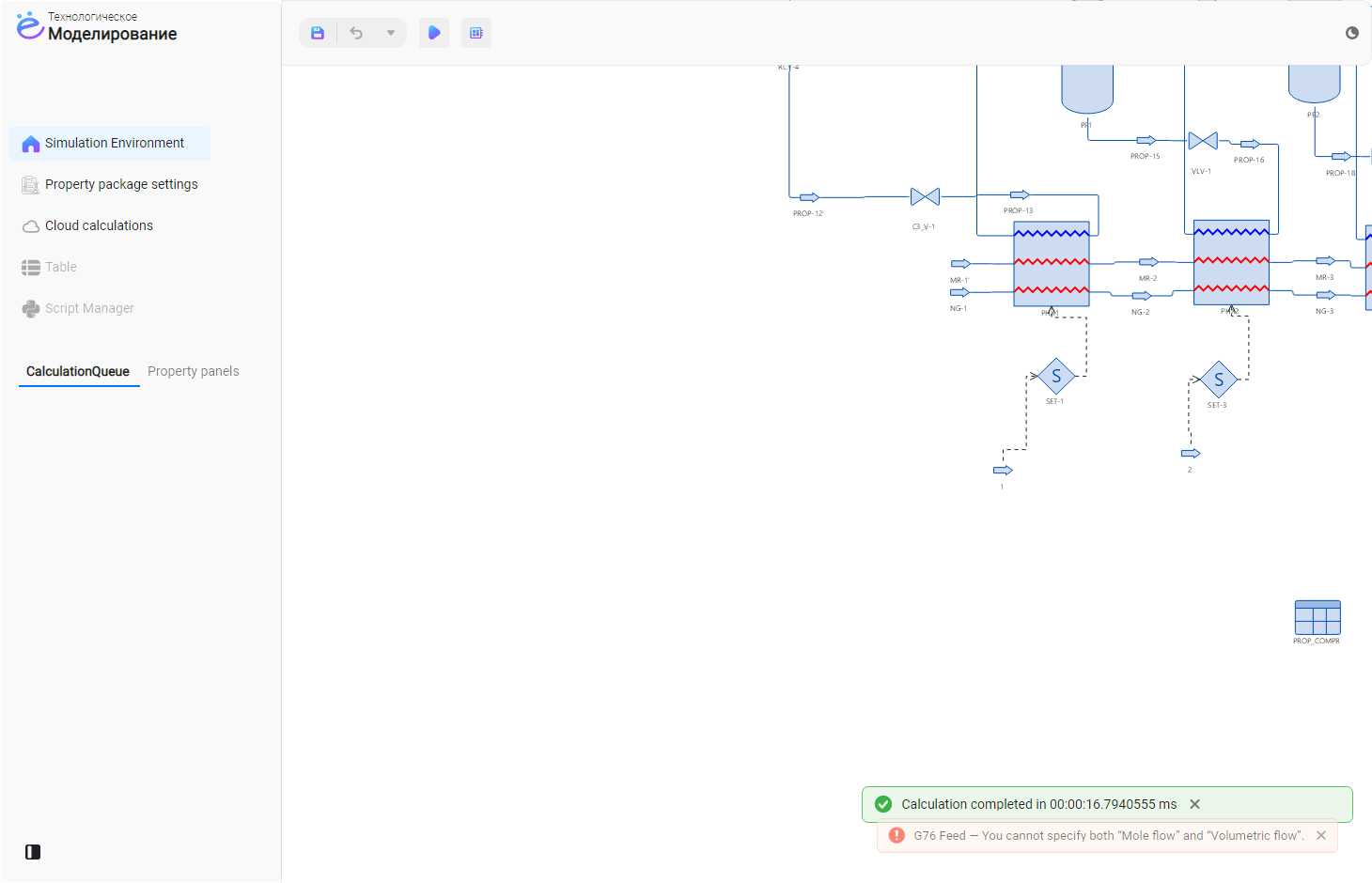
Pasting two conflicting flow specifications rejects the entire operation. Check both original fields before correcting and pasting the range again.
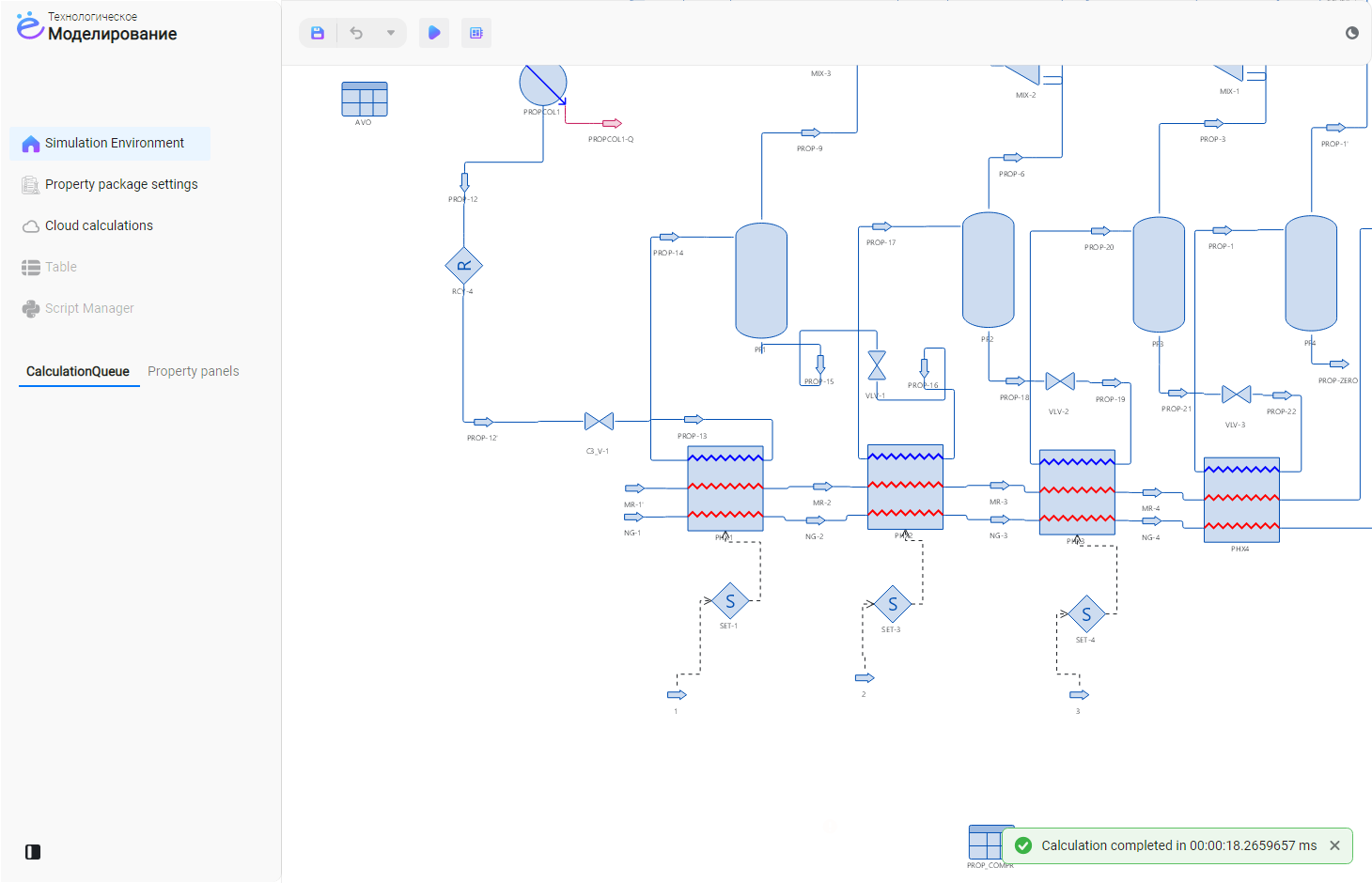
Opening the practice file with format version 9999 reported an unsupported version. The working flowsheet remained open.
Verifying a CSV export
In history, choose LHS, attempt 1, then CSV. Accept the suggested filename in the system dialog or cancel the save. The Windows save dialog used Russian in both test sessions. The exported headings and outcomes use the Desktop language. Five columns are shown in the file view below. The viewer labels units in parentheses. The original CSV headings use square brackets.
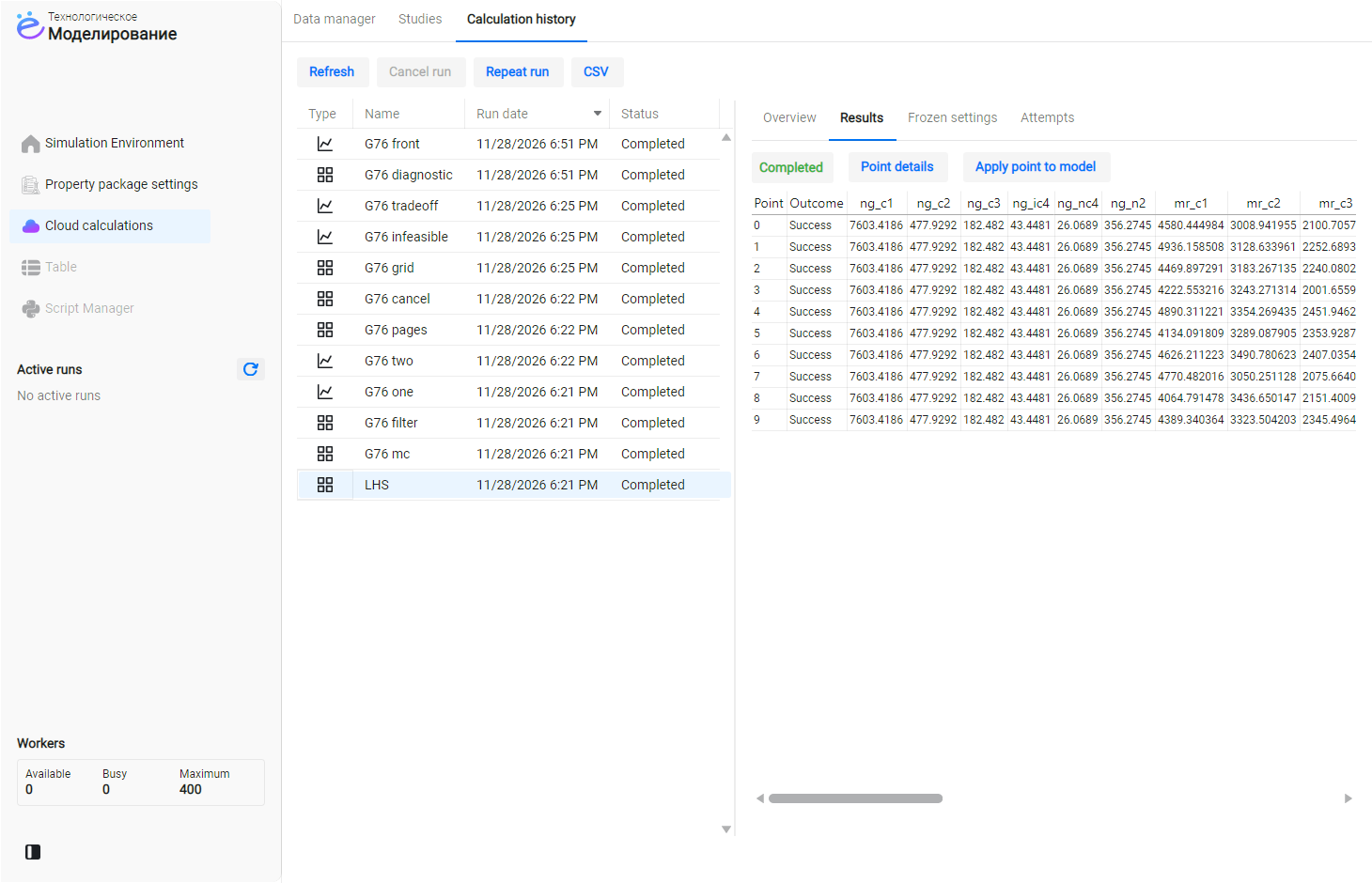
LHS results and the CSV command for the selected attempt.

Windows save dialog with the filename and attempt number.
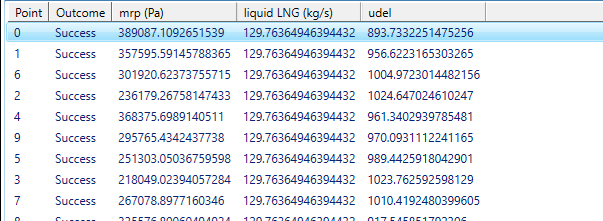
Point 0 and values from the exported CSV in its original row order.
Message when the CSV archive is requested before it is ready.